1110
Customer Helpline 0845 034 2279
www.gardenservicecentre.co.uk
Customer Helpline 0845 034 2279
www.gardenservicecentre.co.uk
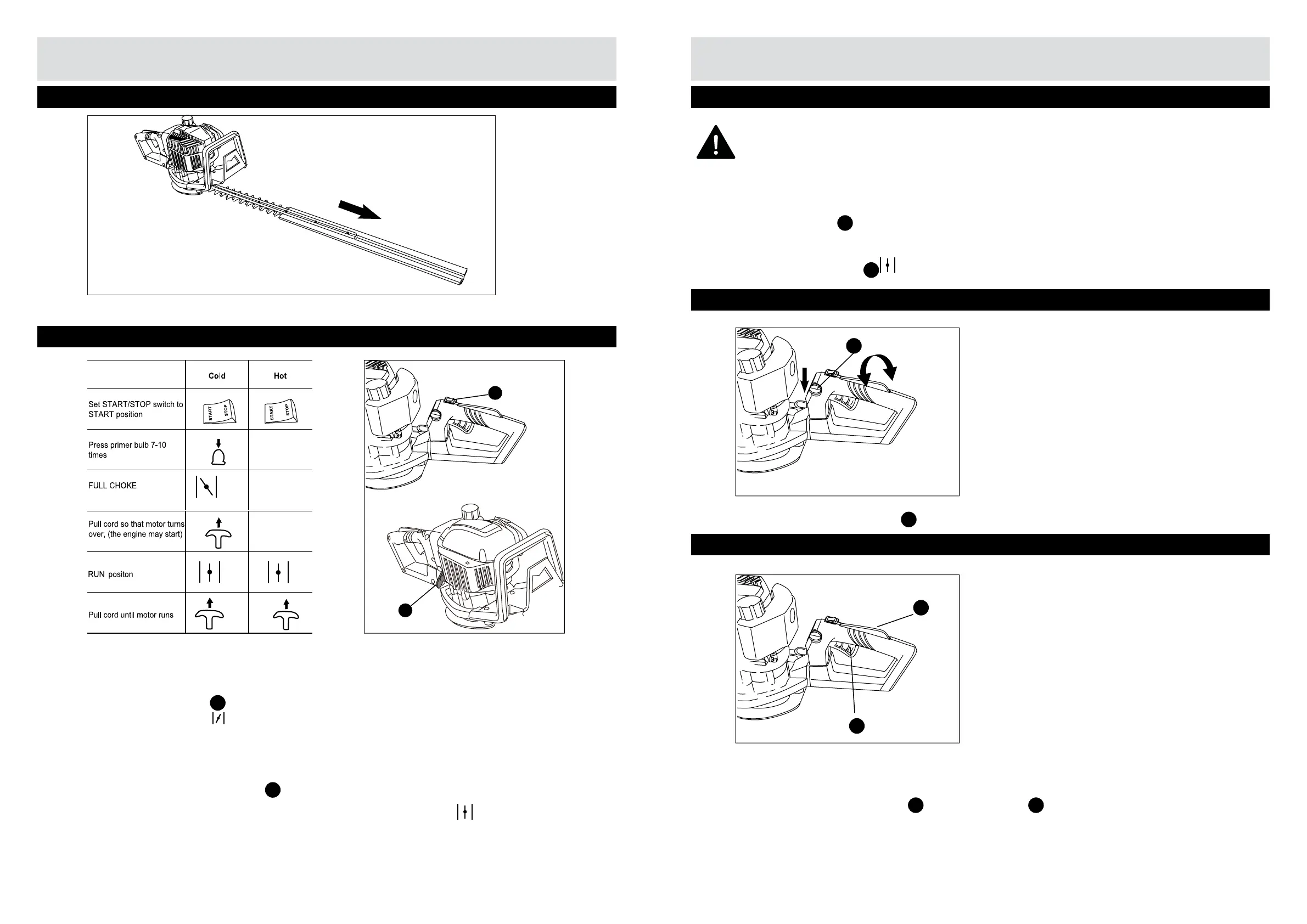
Operating the Hedge Trimmer
Step 2 - Starting the Engine (continued)
ATTENTION! Don’t touch the blade.
2b Starting under warm conditions
1) Set the switch (
A
) to (START).
2) Set the choke lever to ( ).
3) Pull the starter grip (
B
) quickly until engine runs.
Press the handle lock switch (
C
) to enable rotation of the handle.
Step 3 - Change rear handle position
C
Step 4 - Trimming
Depress the throttle lever lock (
D
) and throttle lever (
E
) to activatee the blade.
D
E
Step 1 - Removing the blade protector
Operating the Hedge Trimmer
Remove the blade protector.
Step 2 - Starting the Engine
2a To start a cold engine
1) Set the stop switch (
A
) into the START position. If starting a cold engine the auto-choke lever
must be moved to the “ “ position.
2) Press the primer bulb 7~10 times, the fuel can be pumped into the carburettor. This will reduce
the number of start attempts after a longer break.
3) Now stand the hedge trimmer on the ground, place left hand on the front handle. Use your
right hand to pull the starter grip (
B
) quickly.
4) Once the engine attempts to run.Move the auto-choke lever to the position.
5) Pull the starter grip again until the engine runs, let it run for about 15 seconds then operate this
hedge trimmer.
B
A
2a&2b
1
2
3
4
5
6


 To Next Page