EasyManua.ls Logo

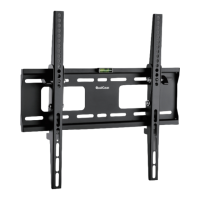
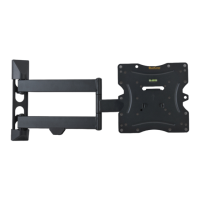
QualGear QG-TM-020-BLK - User Manual

QualGear QG-TM-020-BLK
6 pages
Print Icon
To Next Page IconTo Next Page
Loading...
11
8
1 Year Limited Warranty
42
42
23
75x75 | 100x100 | 200x100 | 200x200
Version: September 2015
30kg
(66lbs)
RATED
Question and Answer IconNeed help?

Do you have a question about the QualGear QG-TM-020-BLK and is the answer not in the manual?

Summary

Adjustments

Important Safety Information

General Safety Precautions

Essential safety guidelines for installation and use.

Parts and Hardware Checklist

Mounting to a Wooden Stud Wall

Stud Location and Marking

Using a stud finder and level to mark the wall.

Pilot Hole Drilling (Wood Studs)

Drilling pilot holes at marked locations.

Mount Wall Plate (Wood Studs)

Attaching the wall plate using lag bolts and washers.

Mounting to a Concrete or Brick Wall

Marking and Drilling Holes

Marking anchor locations and drilling holes for anchors.

Installing the VESA Plate onto the TV

Hanging the TV onto the Wall Mount

Assisted TV Mounting

Instructions for safely hanging the TV onto the mount.
Post-Mounting Procedures

QualGear QG-TM-020-BLK Specifications

General IconGeneral
BrandQualGear
ModelQG-TM-020-BLK
CategoryTV Mount
LanguageEnglish

Related product manuals