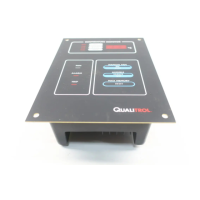
Electronic Temperature Monitor
21
nb for Modbus protocol, and 232 for RS-232 communications (setup
protocol).
5. When the desired Protocol is displayed, press the MANUAL FAN button, this
will show the current Address setting.
Pressing the TEST button will step the display up thru the addresses.
Pushing the MAX MEMORY button will step the display down thru the
addresses.
Note: Legal addresses in ModBus mode are 1-255.
Pressing the MANUAL FAN button will return the unit to normal operation
and save the settings.
If no button is pushed for 30 seconds, the unit will automatically return to
normal operation.
Modbus
Reg. No.
Data Returned when Register
Is addressed
Comments
40001
40002
40003
40004
111L
Temperature
Not used
Not used
Not Used
111W
Oil temperature
Winding temperature
CT Amps in % of full
scale.
Ultimate Winding
temp.
Normal temp. range is 0-255d in lo byte
A value of 8000h indicates invalid data
40005
ETM STATUS
bit 0
bit 1
bit 2
bit 3
bit 4
bit 5
bit 6
“1” = some other bit is “1”
“1” = ON, Fan #1
“1” = ON, Alarm
“1” = ON, Trip
“1” = ON, Fault
“1” = ON, Manual Fan
“1” = ON, Fan #2
40006
111L
Max. Stored temp.
111W
Max. Stored Winding
temp.
normal temp. range is 0-255d in lo byte
40007
Not Used
40008
Temperature at Unit’s terminal block The lo byte indicates temperature at the instrument
terminal block in degrees C. Temperatures below
zero will show as zero.
40009
Diagnostic Status
bit 0
bit 1
bit 2
bit 3
bit 4
bit 5
“1” = some other bit is “1”
“1” = Failed Terminal Block Temperature Sensor
“1” = channel 1 has Failed Sensor
“1” = CT clamp error (111W)



 To Next Page