25
QUANTEX GmbH 2014
Scheme
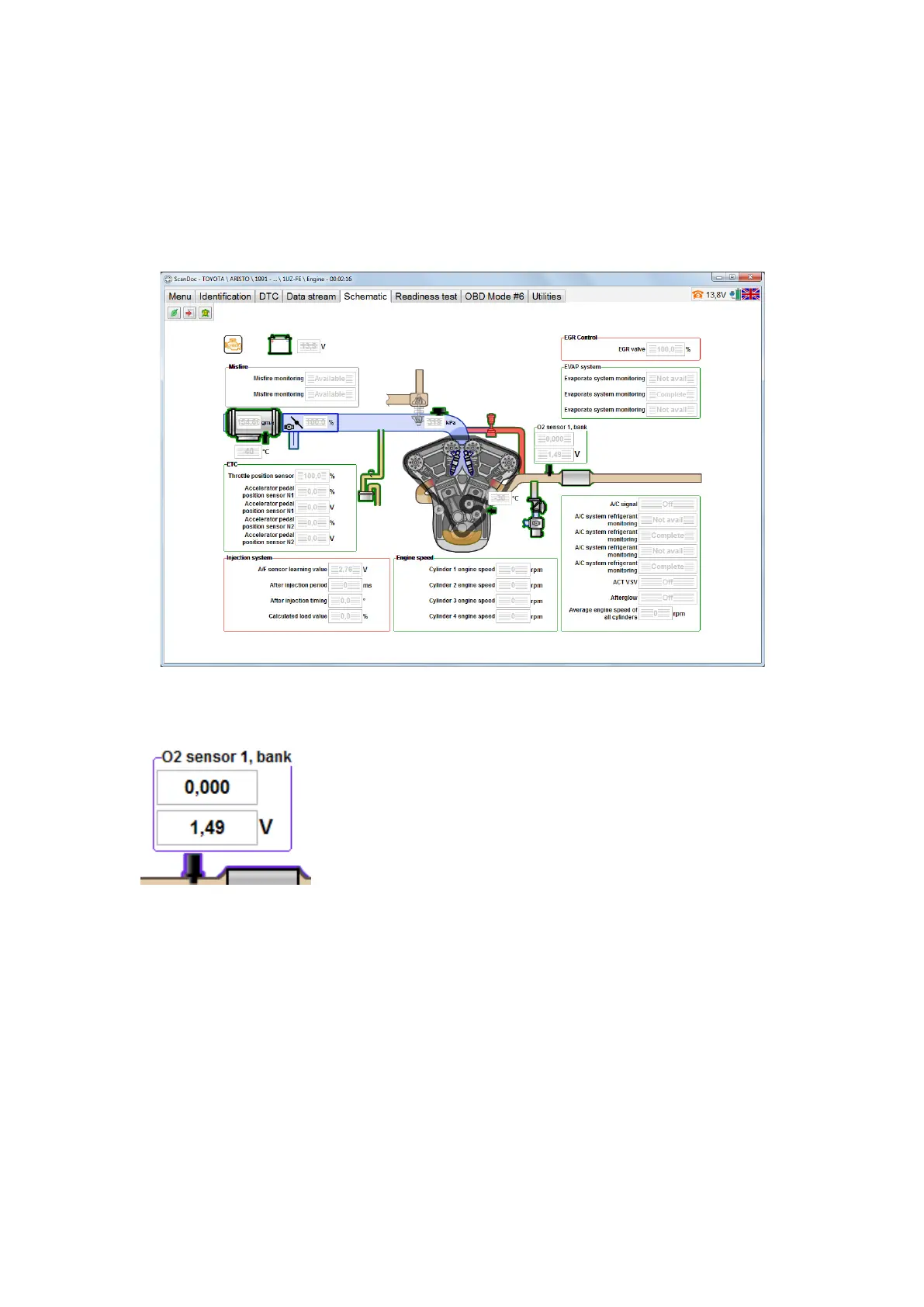
There is an alternative view of data sets in the form of the graphical scheme of an
engine control in the program. Information in this mode is presented in graphic form
and it’s more convenient for operation.
All the diagnostic options are divided into the groups (e.g. “Injection”, “Ignition”
etc.). Each group is in the denite place depending on an engine type. There are
also some objects (e.g. MAF, temperature sensors etc.). Every object can have its
own option and be connected to the denite group.
By the mouse is over an object or a group, their edges are highlighted in dark
blue. It helps if the group of options is close to the object.
Not all the group options can be displayed. If a group or an object have green
edges it means there are options not shown on the display. Click an object or a
group with the left mouse button to see the options.


 To Next Page