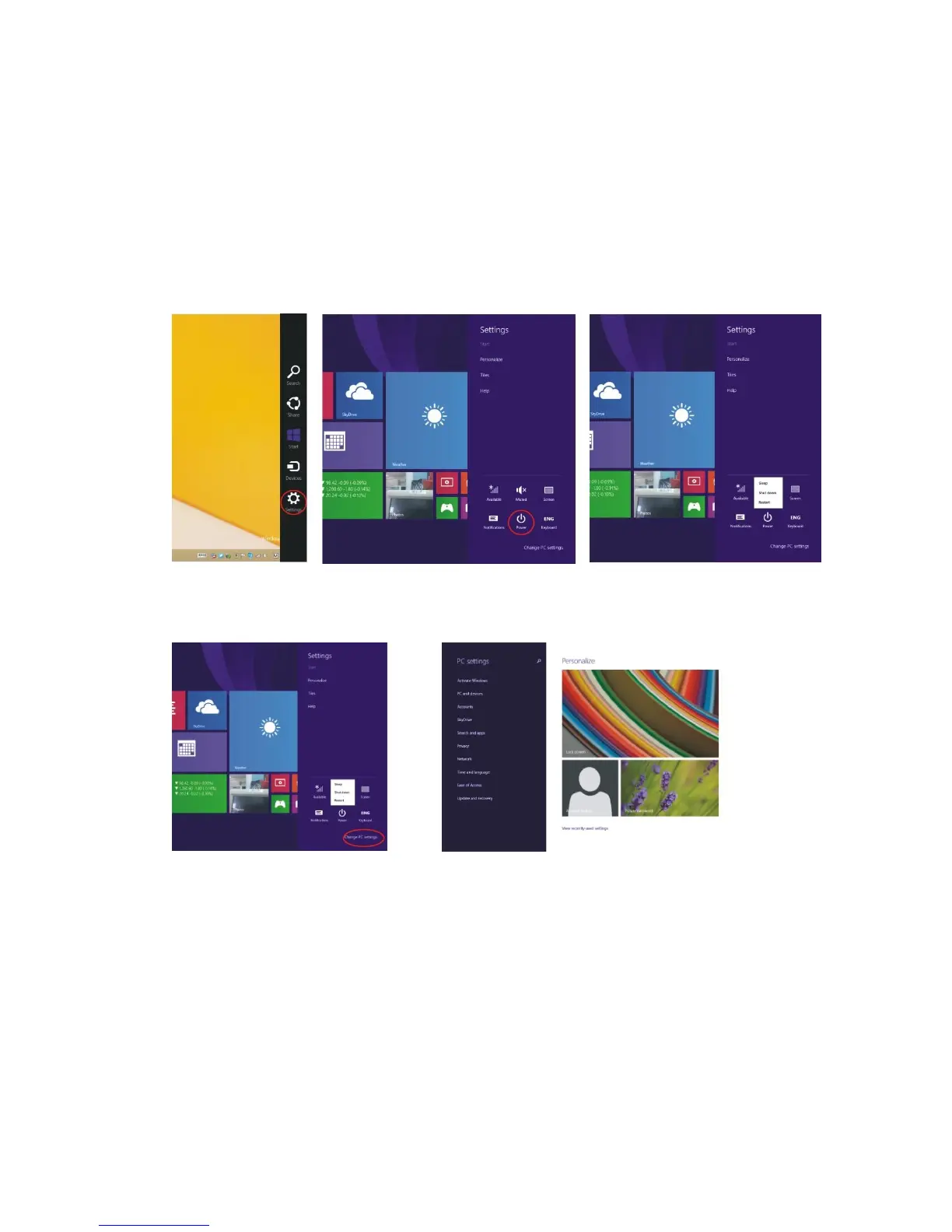
(Figure 2)
Ⅴ. Basic Operations
1. Hibernate, Restart and Shut Down
2. Security Management
Create and/or change your User Accounts and Password
To change your password:
Slide to the left from the right side of the screen to open the “Settings” menu column. Click on the
“Change PC Settings” option on the bottom right. Select “Accounts” on the left and click “Sign-in
options”. Choose your desired password options and settings.
To add a User Account:
Slide to the left from the right side of the screen to open the “Settings” menu column. Click on the
“Change PC Settings” option on the bottom right. Select “Accounts” on the left and click “Other
accounts”. Select “Add an account” Follow the steps on the screen.


 To Next Page