Introduction
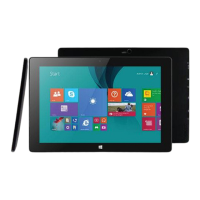
Thank you for your choosing the new Quantum View [FULL HD] Windows® Tablet.
This guide serves to enable users to get to know and familiarize themselves with our product. We
have made a brief introduction to the key layout and definitions.
**Windows and Microsoft Office are either registered trademarks or trademarks of Microsoft
Corporation in the United States and/or other countries.
Contents
A. Precautions before Use……………… 03
B. Key Layout and Definitions………… 04
C. Key Descriptions and Applications… 05
D. Introduction to Desktop……………. 06
1. Windows® 8.1 Start Screen…….. 06
2. Image Slide Application………… 06
3. Apps Introduction……………..... 08
4. Charm Menu Column…………… 09
5. Double Screen Application View... 11
E. Basic Operations…………………... 12
1. Hibernate, Restart, and Power off. 12
2. Security Management…………... 12


 To Next Page