www.quark-elec.com Page
3
of
5
2017
GPS: Bottom LED Flashes every second while receiving a valid message (not applicable on the A024
model)
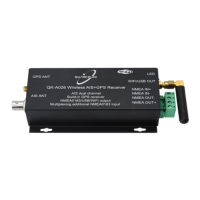
NMEA output connector (left), SMA and BNC connectors (right)
QK-A026 Functions Diagram
POWER UP
QK-A026 is powered by the USB connection.
CONFIGURATION
QK-A026 is supplied with a micro USB connector. The NMEA 0183 data can also output through it and it
can be linked directly to a USB port on a PC or other mobile devices via the supplied cable.
The Configuration Software (GUI) can be used to adjust these settings, including baud rates and WiFi
settings. You can download the software here:
https://quark-elec.com/doc/QE_MUX_configTool.zip
Detailed instructions on how to use the Configuration software are available here:


 To Next Page
 Loading...