22
For assistance, please call : 1-800-211-PANA(7262) or send e-mail to : consumerproducts@panasonic.com
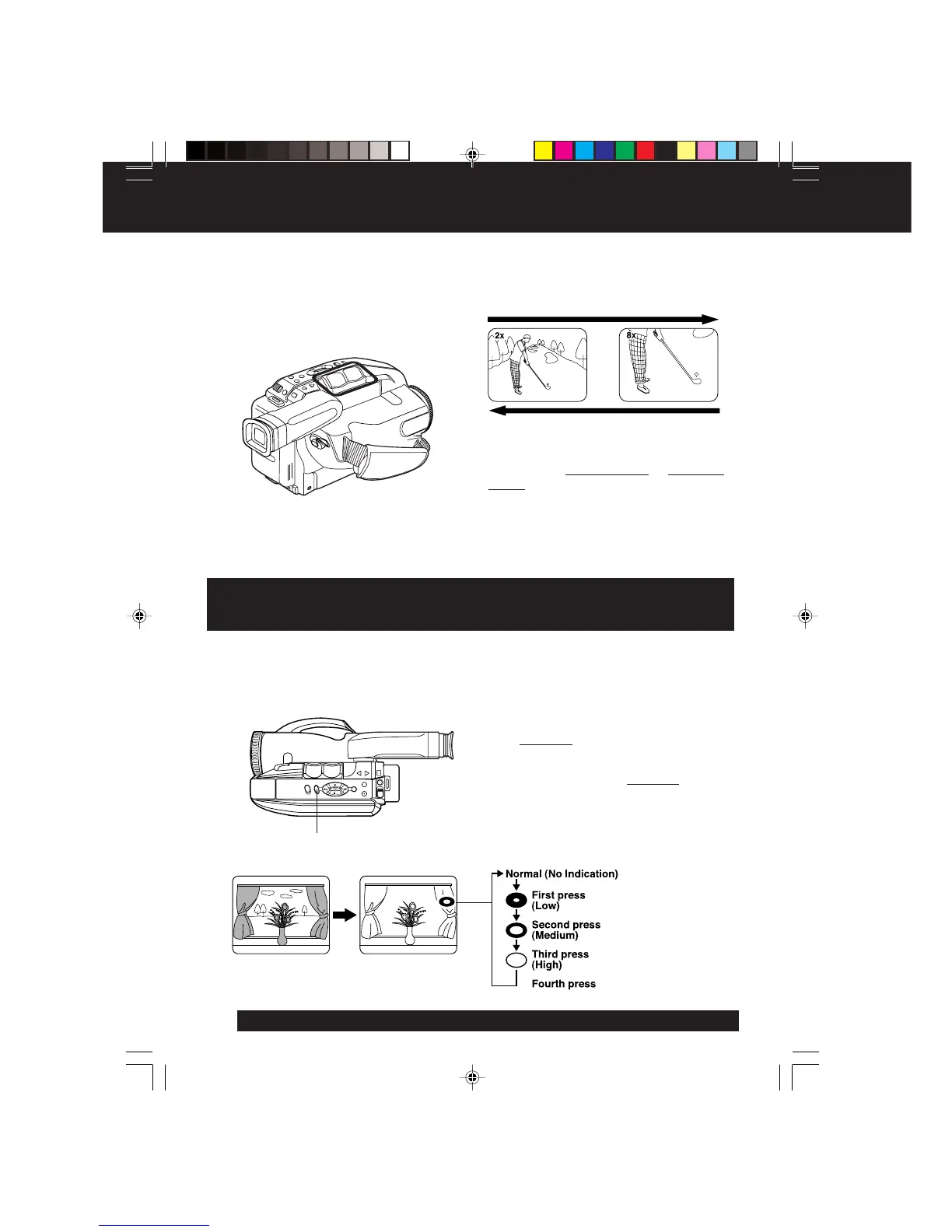
Four-Speed Power Zoom
• Zoom slowly:
Lightly press
“T” (telephoto) or “W” (wide
angle) POWER ZOOM button.
• Zoom quickly:
Apply more pressure to the button.
Zoom In (“T”)
Zoom Out (“W”)
T
W
Before you begin...
• Connect Camcorder to power source.
• Set POWER to CAMERA.
Zoom in (close up) and out (wide angle) in
one of four speeds ranging from slow (16
seconds) to fast (2 seconds).
Use when subject is darker than
surroundings, in shadowed area, or in front
of the light source.
Before you begin...
• Connect Camcorder to power source.
• Set POWER to CAMERA.
Press B.LIGHT while recording to select
the level of backlight compensation.
In normal lighting, press
B.LIGHT
repeatedly until no indicator is displayed.
EVF Indications
B.LIGHT
Press B.LIGHT.
Backlight
05.VM-D52 Special p22-28 02.1.28, 9:57 AM22



 To Next Page