9
PR-120 / PR-240
Connections
Setups
INPUT: Connect microphones or balanced line-level sources to mixer-amplier balanced inputs.
Set Gain volume accordingly. Connect unbalanced line-level signals to RCA input connectors.
OUTPUT: Maintain proper polarity on output connectors.
For each output channel, connect the output EURO block terminals to the loudspeaker Ioads.
Use terminals marked (GND) and for a 4-ohm loudspeaker load, or use terminals marked
to and COM for constand-voltage loudspeaker loads.
Connect the COM terminal to speaker negative(-) lead; connect one of the other terminals to
speaker positive (+) lead.
The impedance and output voltage are same as following Table.
PR-120 4Ω / 22V 5.2Ω / 25V 42Ω / 70V 83Ω / 100V
PR-240 4Ω / 31V 2.6Ω / 25V 21Ω / 70V 42Ω / 100V
[ output voltage and impedance]
NOTE : Impedances indicated in the table represent the total speaker system impedances.
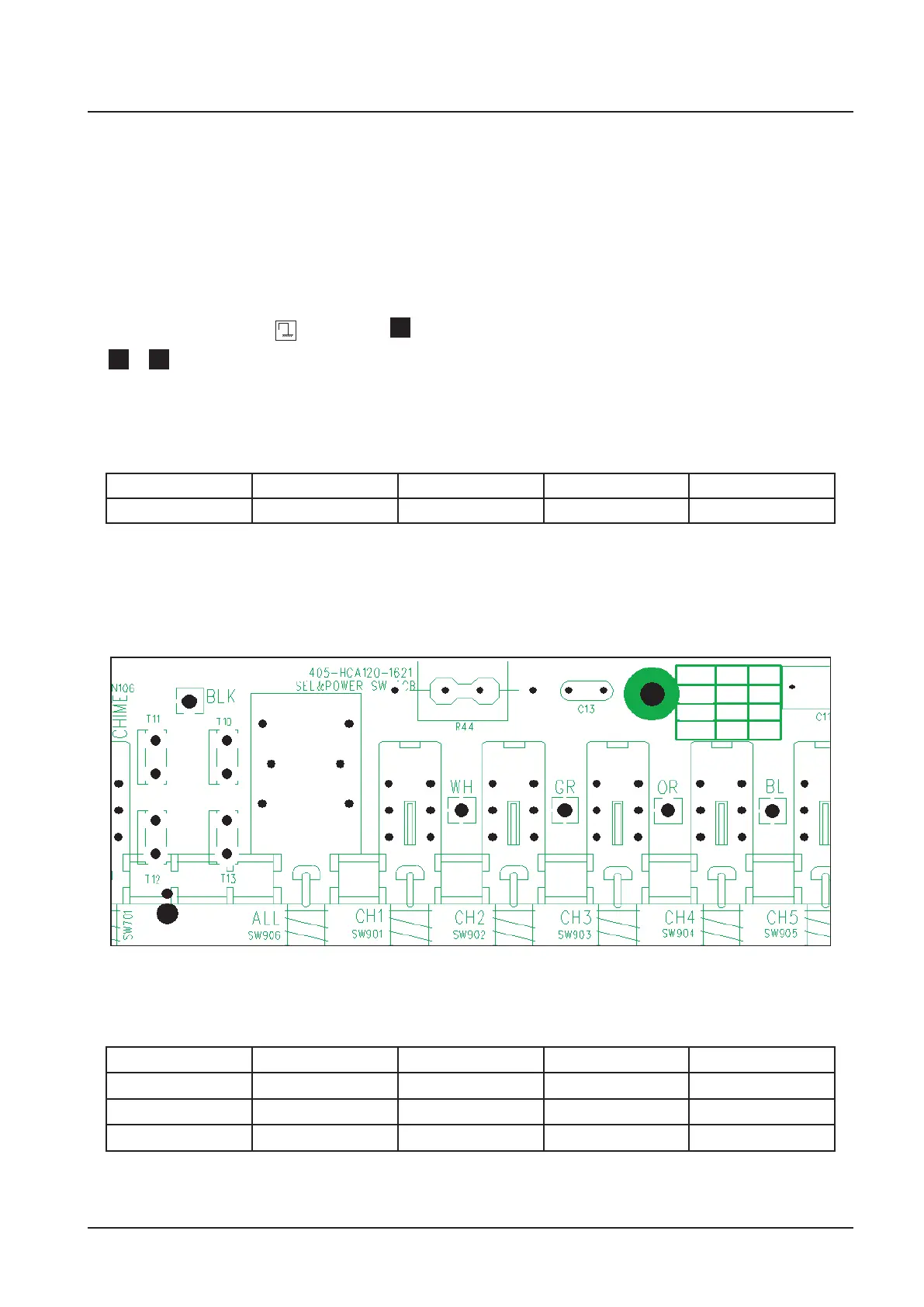
Figure shows the way how to select impedance.
5
4Ω
BLU
GRN
RED
25V
70V
100V
T10
BLK
BLK
BLK
T13
[ How to change high impedance output voltage ]
The wires of output transformer are connected to terminal on output select pcb same as follow
table.
T10 T11 T12 T13
100V RED wire BLUE wire GREEN wire BLACK wire
70V GREEN wire RED wire BLUE wire BLACK wire
25V BLUE wire GREEN wire RED wire BLACK wire
NOTE:These connectors are set in 100V output except US, CANADA ( 70V output )



 To Next Page