3.7 Data menu
Function
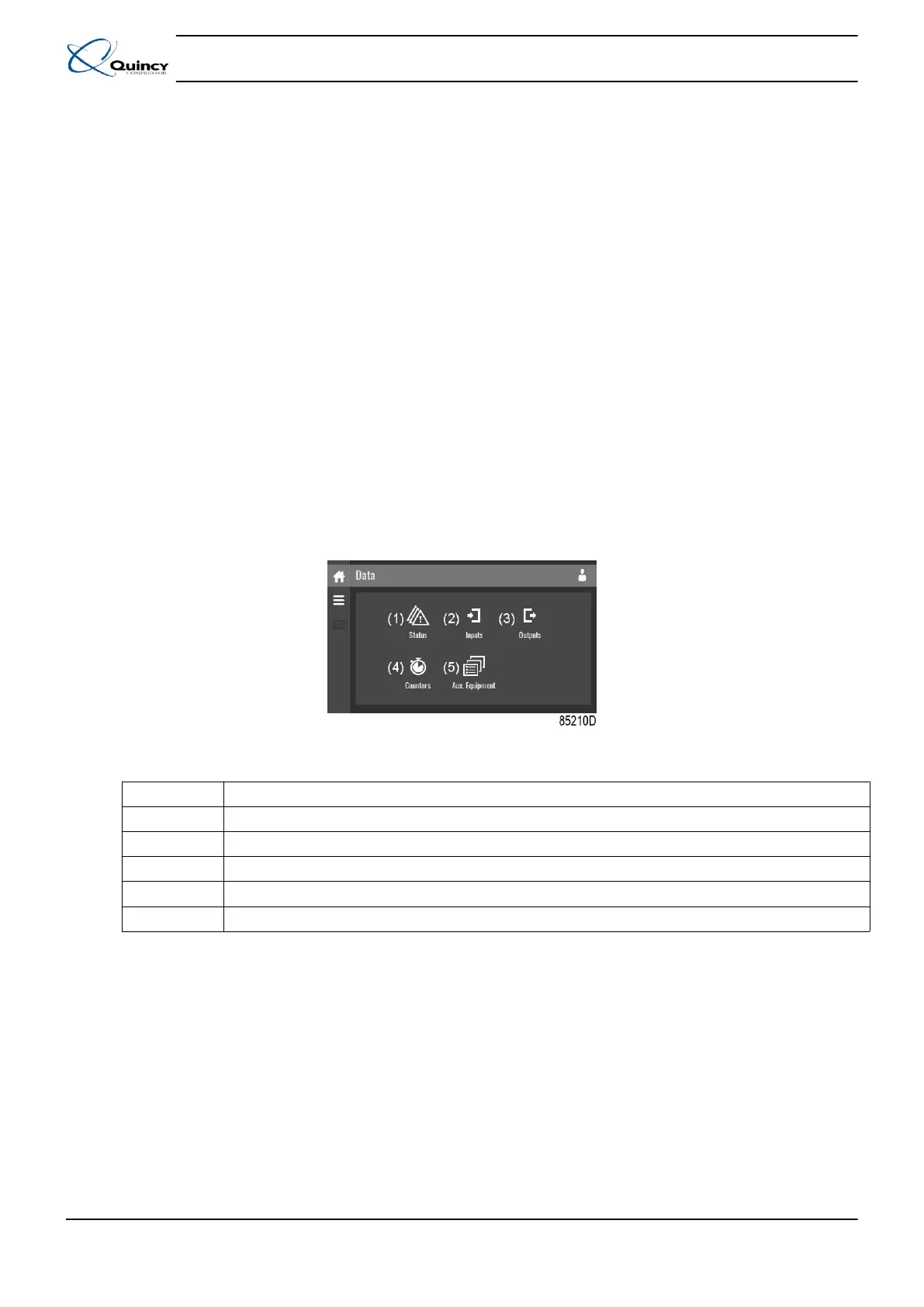
This screen is used to display the following submenus:
• Status
• Inputs
• Outputs
• Counters
• Aux. Equipment
These submenus can be entered by tapping the icons.
Procedure
To enter the Data menu screen:
1. Tap the Menu button
2. Tap the Data icon
Description
Reference Designation
(1) Status menu
(2) Inputs menu
(3) Outputs menu
(4) Counters menu
(5) Auxiliary equipment menu
Status menu
Tap the Status
icon to enter the
Status menu.
Instruction book
30 9829 3199 74
Figure 7: Data menu screen
Table 5: Data menu screen function







 To Next Page