Instruction book
9829 3199 74 57
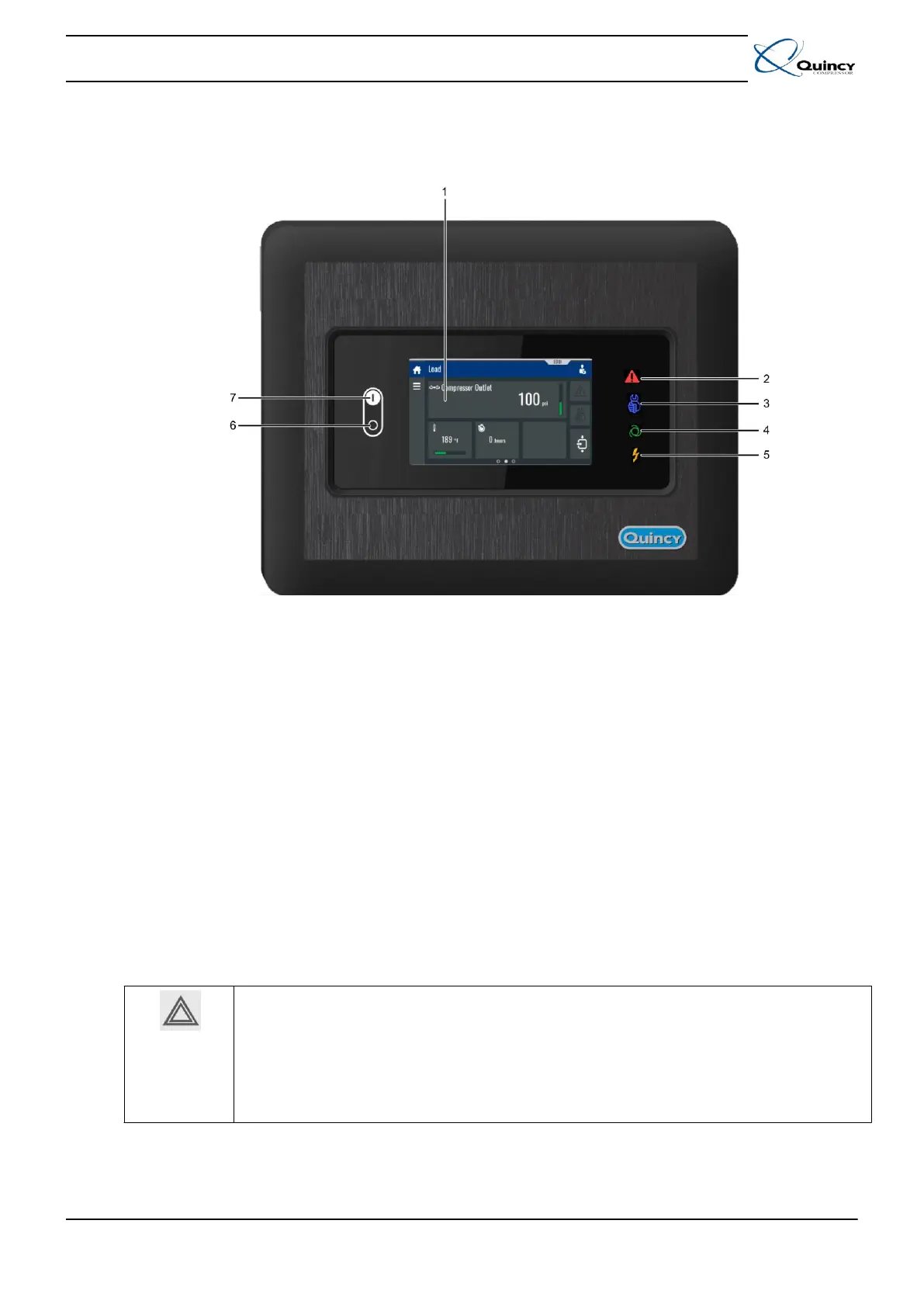
Checking the display
• Daily check the display for readings and messages. Normally, the main screen is shown,
indicating the compressor outlet pressure, the status of the compressor and the functions of
the keys below the display.
• Always check the display and remedy the trouble if warning sign (2) is alight or blinks.
• The display will show a service message if a service plan interval has been exceeded or if a
service level for a monitored component has been exceeded. Carry out the service actions of
the indicated plans or replace the component and reset the relevant timer. Consult your
Quincy Customer Centre. See also Preventive maintenance.
• Regularly check the actual compressor status by pressing the arrow down key from the main
screen.
Before starting any maintenance or repairs:
• Stop the compressor and close the air outlet valve.
• Press the test buttons on top of all electronic water drains to depressurize the air
system and open the manual drain valves.
• Open the isolating switch (customer's installation) to switch off the voltage to the
compressor.
Apply all relevant safety precautions, including those mentioned in this book.
5.4 During operation
When automatic operation sign (4) is alight, the Q-Control Touch is automatically controlling
the compressor. The speed will continuously vary to match the air delivery to the air
consumption and the compressor will start and stop whenever necessary.
Keep all doors closed during operation.





 To Next Page