Reference Designation
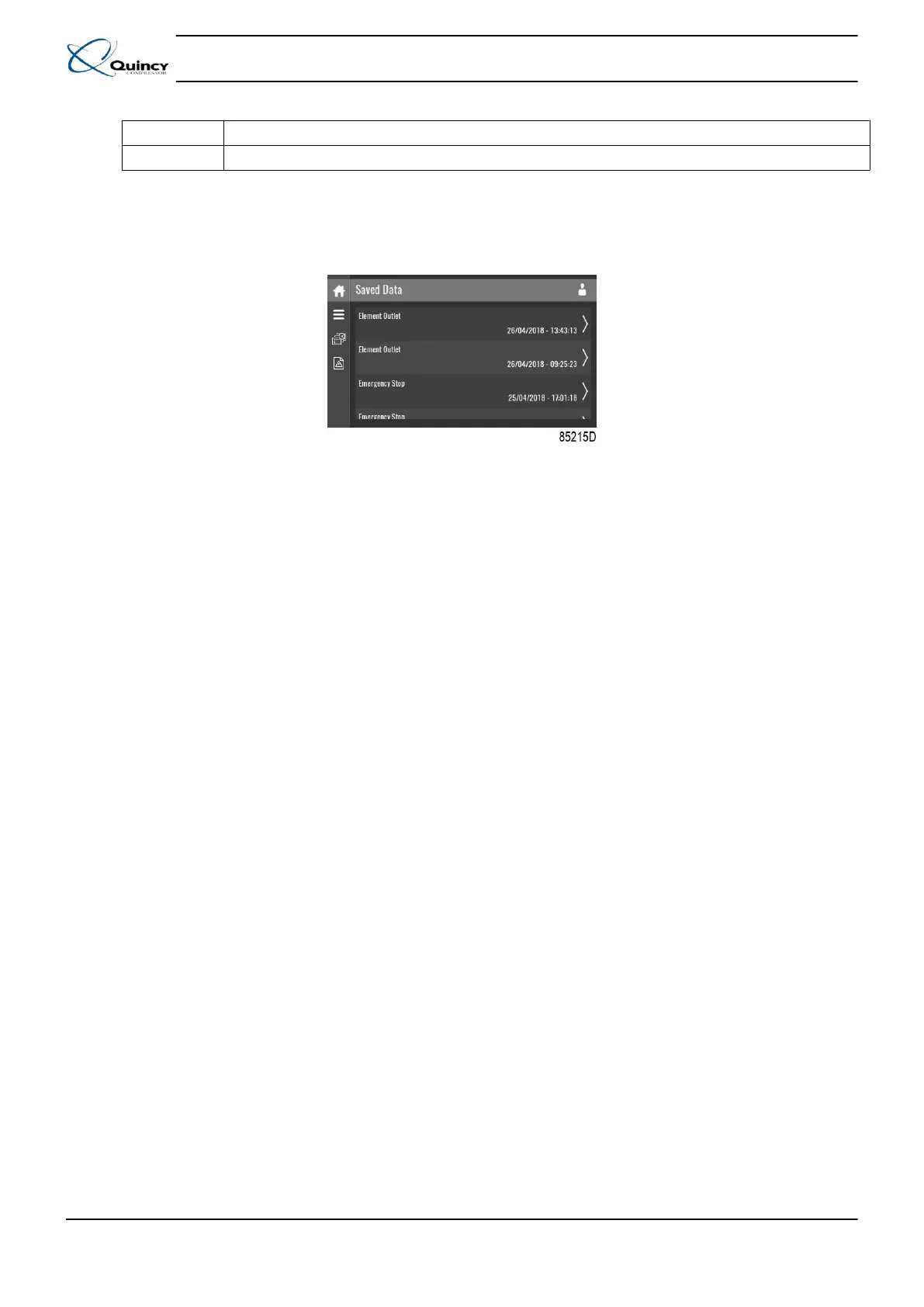
(1) Saved Data
Saved data
Tap the Saved Data icon to enter the Saved Data menu.
Scroll through the items swiping up and down in this list. The event date and time is shown at the
right side of the screen.
Press on one of the items in the list for more information reflecting the status of the unit when the
shutdown occurred.
3.11 Machine settings menu
Function
Instruction book
36 9829 3199 74
Figure 19: Saved data screen
This screen is used to display the following submenus:
• Alarms
• Regulation
• Control Parameters
Only visible if the machine has adaptable parameters.
• Aux. Equipment parameters
• Auto Restart
These submenus can be entered by tapping the icons.
Procedure
To enter the Machine settings menu screen:
• Tap the Menu button
• Tap the Machine Settings icon







 To Next Page