Need help?
Do you have a question about the QUORION CR 1200 and is the answer not in the manual?
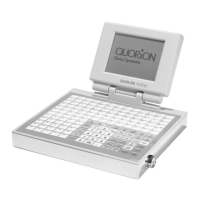
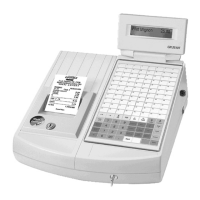
Details the layout and programmability of the 128-key keyboard for specific user requirements.
Explains the function of each key label on the cash register keyboard, categorizing them by function.
Describes the control lock mechanism and the different modes accessible via its key positions.
Describes the process for a clerk to log in to the cash register, with four distinct options available.
Explains how to register sales for items with undetermined prices using open departments.
Covers ringing up items with pre-programmed prices using department or PLU keys.
Guides on how to create a new PLU item during a sales transaction, including price and department linking.
Explains using the Multiplication Key to register multiple quantities of the same item efficiently.
Details the process of completing a sale by selecting a payment method like cash, card, or check.
Instructs on erasing incorrect numeric entries before they are registered using the Clear key.
Explains using the Error Correct (EC) key to void the last item entered during a sale.
Details the process of removing items from a sale, often requiring manager supervision.
Covers the procedure for returning items, recording them back into stock, and refunding the customer.
Explains how to apply percentage or amount discounts to individual items or the entire sale.
Describes how to cancel an entire sale before it is finalized, typically requiring manager access.
Explains voiding an entire sale, similar to a refund but with a single key press for the transaction.
Explains how to assign multiple departments to a single key for efficient keyboard use.
Covers managing multiple selling prices for a single PLU, useful for promotions or special hours.
Details the process for handling sales and calculating change in foreign currencies.
Describes how to temporarily suspend a sale and recall it later to complete the transaction.
Explains how to switch the receipt printer on/off and reprint the last sale's receipt.
Covers viewing the current time and date on the cash register.
Explains using the No Sale function to open the cash drawer without registering a transaction.
Details procedures for taking money out (Pay-Out) or putting money in (Received on Account) the drawer.
Describes how to close a sale using multiple payment methods, like cash and card.
Guides on how to manually change a pre-programmed price for a PLU during a sale.
References the clerk sign-on procedure for assigning a waiter to a table.
Explains how to assign a table number to store a client's order.
Covers printing the bill (Statement/Invoice) and closing a table after payment.
Details methods for voiding items from an open table transaction.
Explains how to move all registered items from one table to another.
Guides on how to divide a table's bill into separate portions for payment.
Details the system configuration and use of condiments for PLU items.
Covers various functions related to managing balances, such as subtotaling and currency conversions.
Provides instructions on setting the date and time on the cash register.
Explains a special program mode for clerks with manager authority to configure settings.
Details how to program various system files using the keyboard and specific modes.
Covers activating scanning, creating/deleting items, and PLU file maintenance.
Explains how to activate and configure network features like RS-232 and RS-485.
Details the programming steps for activating network connections, specifying parameters.
Describes how to use the training mode for practice without affecting reports.
Explains how users can compose and select specific reports based on predefined ones.
Lists and describes various system reports available, categorized by key lock position.
Provides instructions on printing the electronic journal, including last receipt or complete journal.
Details the installation process for paper rolls in a dot matrix printer.
Guides on correctly loading and feeding paper rolls into the dot matrix printer.
Explains how to install and replace the ribbon cassette in a dot matrix printer.
Introduces the thermal printer component and its paper insertion process.
Provides step-by-step instructions for inserting paper into the thermal printer.
Informs about the availability of ribbon cassettes from the dealer.
Mentions the provision of a separate manual for the PC interface option.
Covers CE conformance and technical European requirements for electromagnetic compatibility and safety.
Explains how to activate serial interfaces (RS 232 and RS 485) on the cash register.
Details the pin-layout for serial ports and specific cables for connecting peripherals.
Specifies the requirements for a PC cable to connect the cash register to a PC.
Describes the standard printer cable needed to connect the cash register to an external printer.
Tests the printer by printing version information and the complete font table.
Performs a test of all display modes and characters available on the register.
Prints the version information of the cash register's software and hardware components.
Resets and sends the printer logo(s) to the printer controller.
Simulates direct transactions to test the register's transaction processing capabilities.
Tests table transactions by simulating sales and closing balances.
Performs a direct transaction test, simulating sales and closing.
Tests table transactions, simulating sales and closing balances.
Resets all reports, tables, and transaction counters on the cash register.
 General
| Brand | QUORION |
|---|---|
| Model | CR 1200 |
| Category | Cash Register |
| Language | English |

 To Next Page