2.2 Components
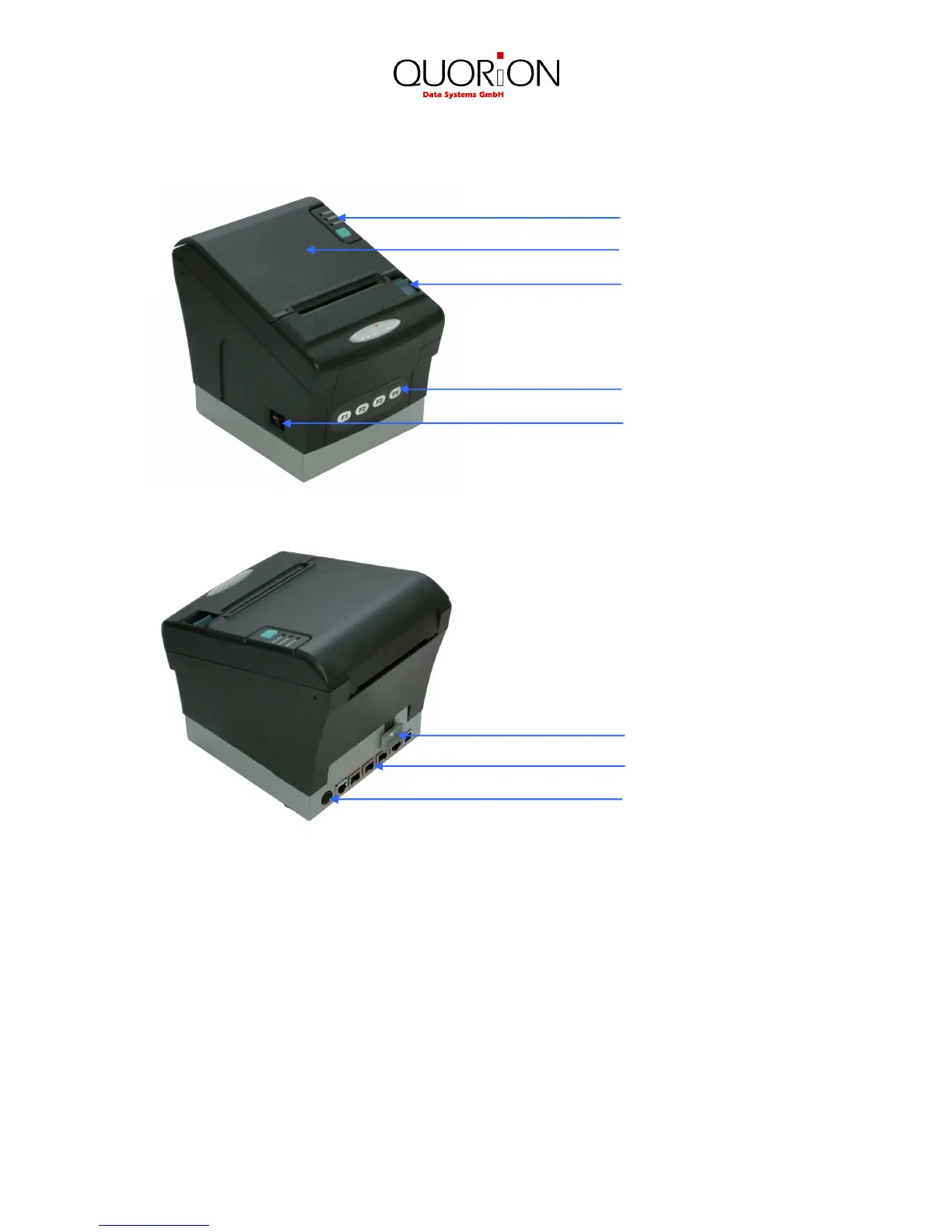
Control panel: LED’s to indicate printer status and paper feed key.
Printer cover: Open this cover to load or replace the paper roll.
Cover open lever: Pull down this lever to open the printer cover.
Function keys: Used to program and operate special fiscal functions.
Power switch: Used to turn on/off power to the printer.
Fiscal seal: Protects the electronic and fiscal memory from manipulation.
Interfaces: Used to transmit data from/to the printer.
Power connector: Connection of the external power supply.
Control panel
Power switch
Function keys


 To Next Page