12
4.4 Operation with QProg
Use Q Driver-Commands about the interface (see „Q Driver Manual“)
- Use „OPOS“-Driver of the PC (communicate with the Q Print about the IF).
- Direct communication with the NO-Fiscal-CR (Concerto, Q Touch, ..).
All reports can be started about the „Q Prog“(see „Q Prog Manual“) or „Q Driver“-Commands (see
„Q Driver Manual“) or direct about the extern keyboard
4.5 Operation with function keys
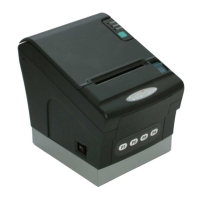
All main functions of the QPrint FM can be operated using the four function keys at the front side.
The meaning of these keys is as follows:
MENU ENTER
F1 – Start function mode or break function (clear)
F2 – next function or number
F3 – previous function or number
F4 – Enter function
The key F1 starts the function menu. With the keys F2 and F3 you can select one of the following
functions. Use the F4 key to enter the selected function or press F1 again to quit the function
menu.
[ ***** EXIT ***** ]
▼
[ FINANCE X REPORT ]
▼
[ FISCAL Z REPORT ]
▼
[ FM DUMP BY Z ]
▼
[ FM DUMP BY DATE ]
▼
[ INFO QPRINT ]
▼
[ TEST QPRINT ]
Finance X Report
QPrint FM starts the printout of the daily X report. The report memory will not be cleared.
Fiscal Z Report
QPrint FM starts the printout of the daily Z report. The report memory will be cleared. The fiscal
data are saved in the FM-module.
F4


 To Next Page