4
14.
I I: Pause
15. TV/R: Switch between TV and RADIO.
16. TXT: Display the teletext.
17. SUB: Display the subtitle language list.
18.USB: Enter USB menu.
19. MENU: Activate main menu.
20. EXIT: Exit current menu step by step.
21. CH+/CH-: Changes program.
22.Vol+/Vol-: Change volume in viewing mode.
23. OK: Confirm the selected operation or display the
24. EPG (Electronic Program Guide): Display the
program guide.
25. FAV: Display favorite channel list you set before.
26. RECALL: Move to the previous viewed channel.
27. SAT: Show the scanned satellite list.
28. Page+/Page-:page turning
29. F1: Accessorial function.
30. NUMERIC KEY (0~9): Enter a TV/radio channel number or menu option number.
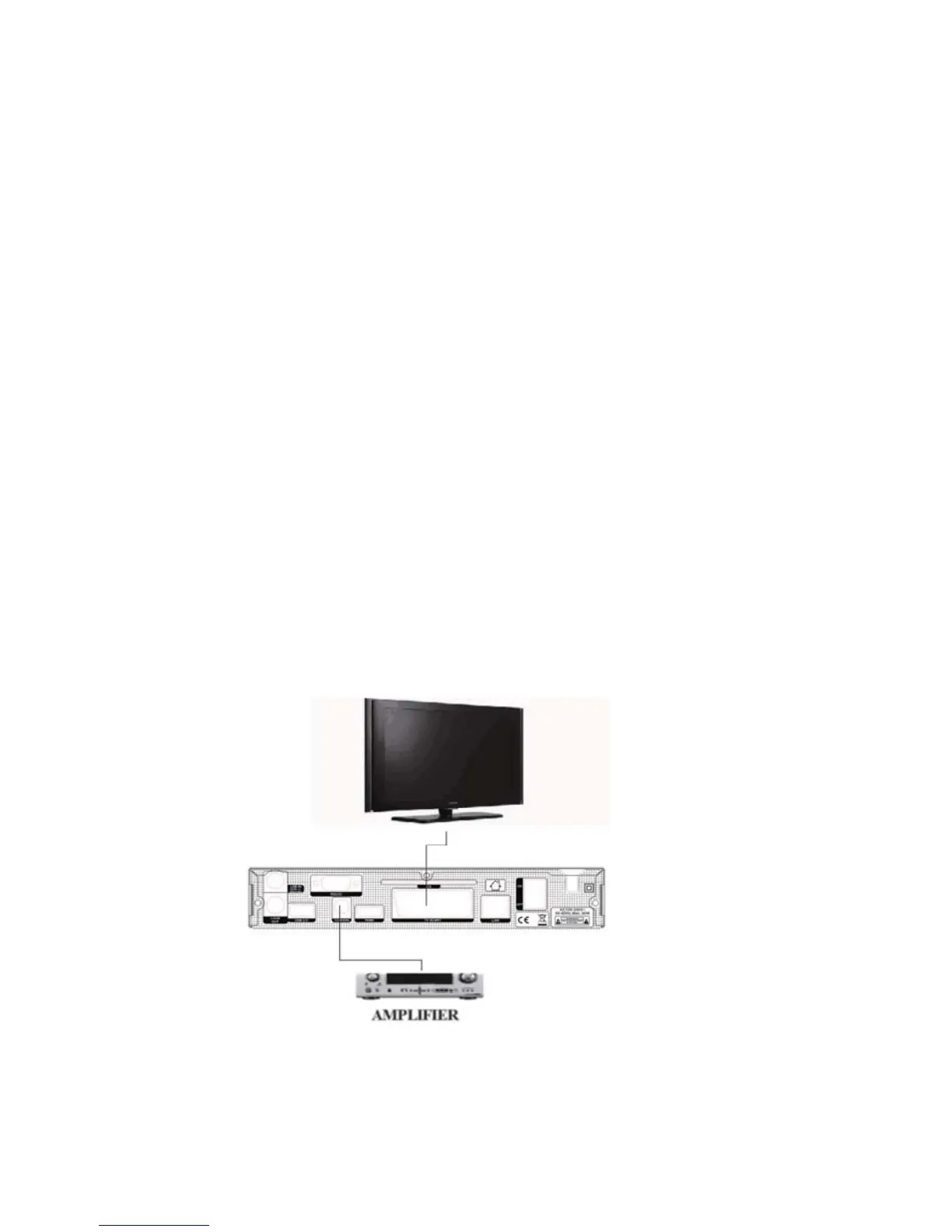
The following diagram shows you the connections among receiver, TV, LNB and other equipment.
3.1 Connecting to TV
Figure 5. Connecting to TV via Scart
3.2 Connecting the Antenna
Figure 4. Remote Control


 To Next Page