5
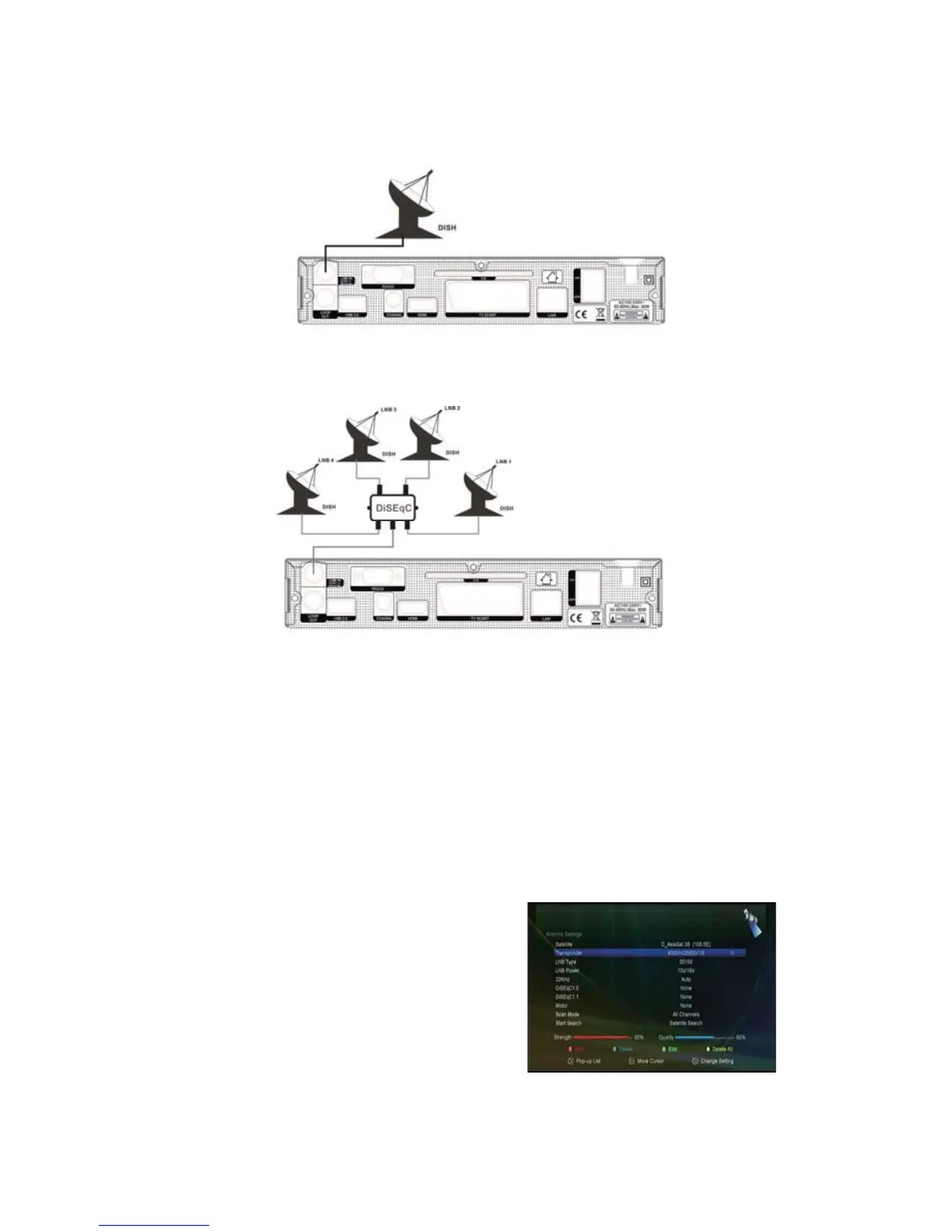
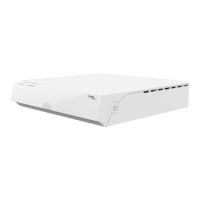
You can connect one fixed dish LNB directly to the LNB IN, or connect at least two dishes LNB by DiSEqC
Switch.
Figure6. Connecting to Dish
Figu re7. Connecting to Dish LNB
4. Installation
You should install the receiver when powering on your product for the first time after purchase.
Tip: The default password is 0000. If you have forgotten your password, please contact your local product
distributor.
4.1 Antenna Settings
Antenna Settings allows you to configure the antenna setting
parameters.
Menu->INTALLATION-> Antenna Settings
1. Satellite: Highlight the satellite you want to search.
2. Transponder (TP for short):Pressthe/


 To Next Page