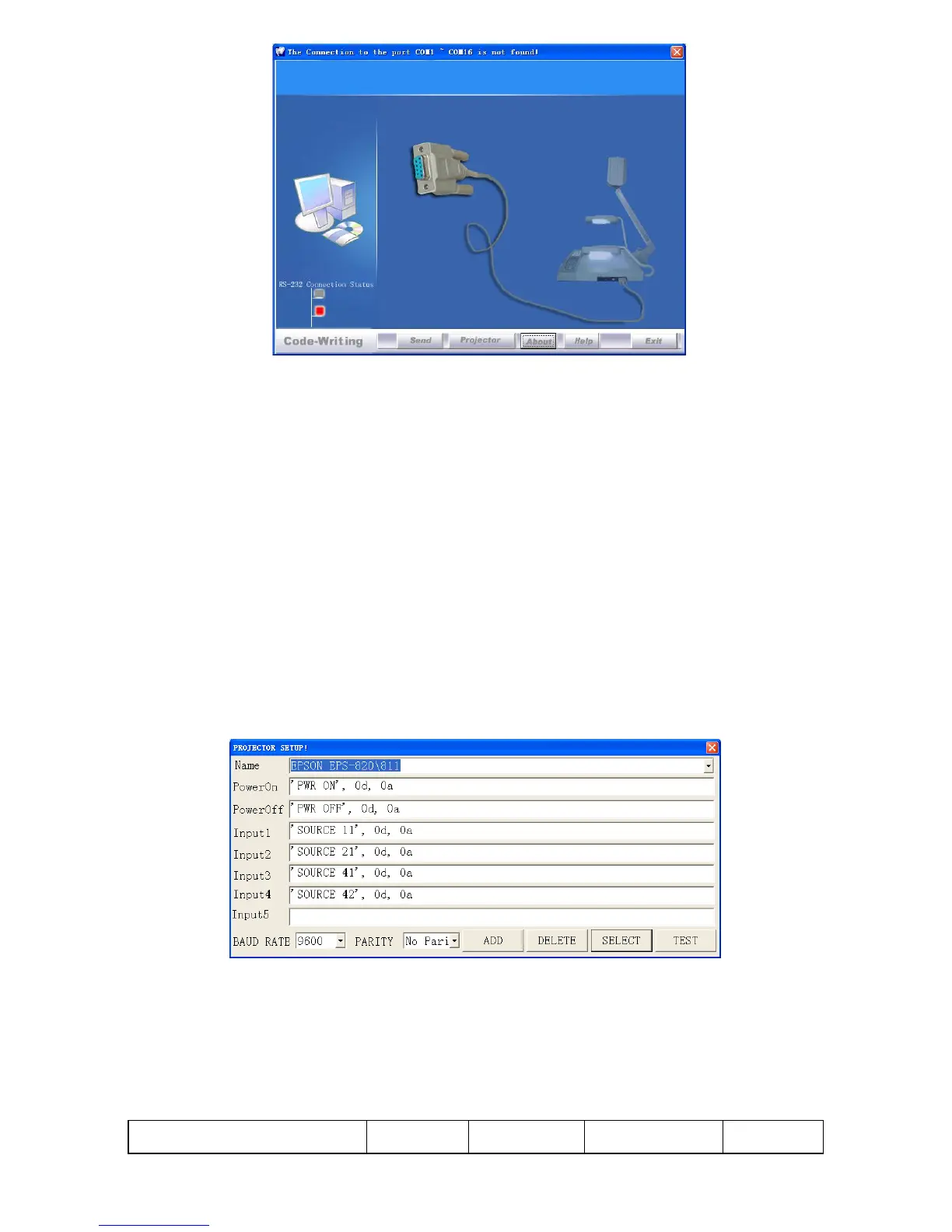
When the indicator of “Current RS-232 Connection Status” is green, that
means the connection between the visualizer and the computer‟s RS232
connector is good. If the indicator is red, please check if the RS232 cable is
connected correctly. When all the cables are connected correctly, please
click “Projector” to select your projector model under the drop-down list,
then click “Send”. If you can not find your particular projector model in the
“Projector”, please do the following:
1).Select “Baud rate” and “parity” and input the projector control code.
(The baud rate, parity and control code is supplied by projector‟s
manufacturer, please refer to the projector‟ manual)
The input format of projector‟s control code is as follows:
a. If the data is in the numerical value format, please input data directly,
block them off with comma, do not distinguish lowercase and uppercase.
For example: the “POWER ON” code in Hitachi projector manual is :



 To Next Page