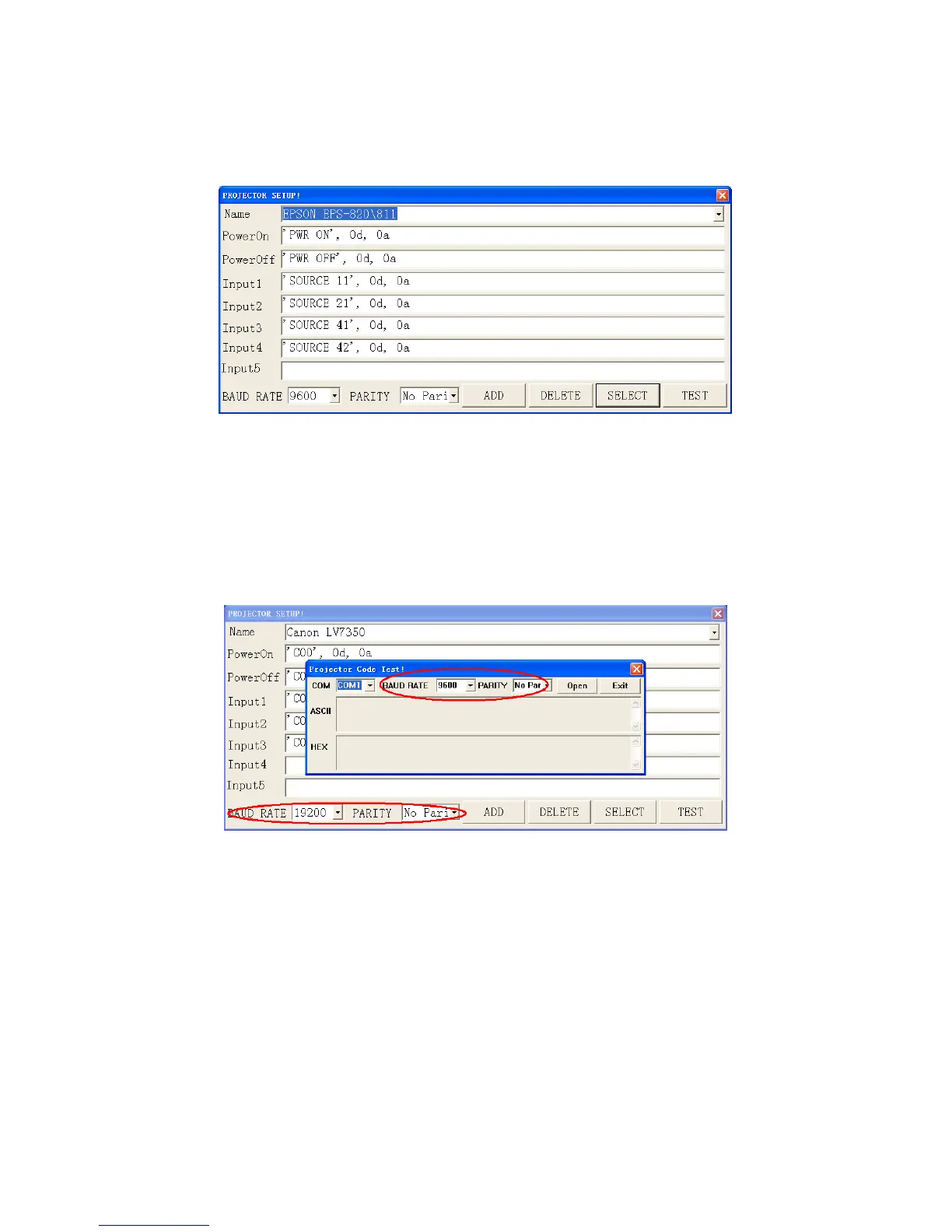
5. If you can not use buttons on the operation panel to control the projector,
please use Code-Writing software‟s projector control code testing function
to check if the control code is correct.
Click “Projector” button, the following dialog box appears as below:
Connect the visualizer to a computer with a RS232 cable (Please
disconnect the projector from the RS232 port first) and select the Baud
Rate and Parity based on the projector‟s Baud Rate, then click the “TEST”
button to pop up the Projector Code Test dialog box, input the Baud Rate
and Parity based on the projector‟s Baud rate, then click “Open”.
Click the projector control buttons on the visualizer‟s operating panel to
check if the control code that the program received is the same as the
sending code. If the receiving code is same to the sending code, the input
codes are correct. If the visualizer can not control the projector, please do
the following.
1. Check to see if the source control codes of projector are correct.
2. Check to make sure the connection between the visualizer and the
projector is correct.



 To Next Page