10
Internet
Ethernet
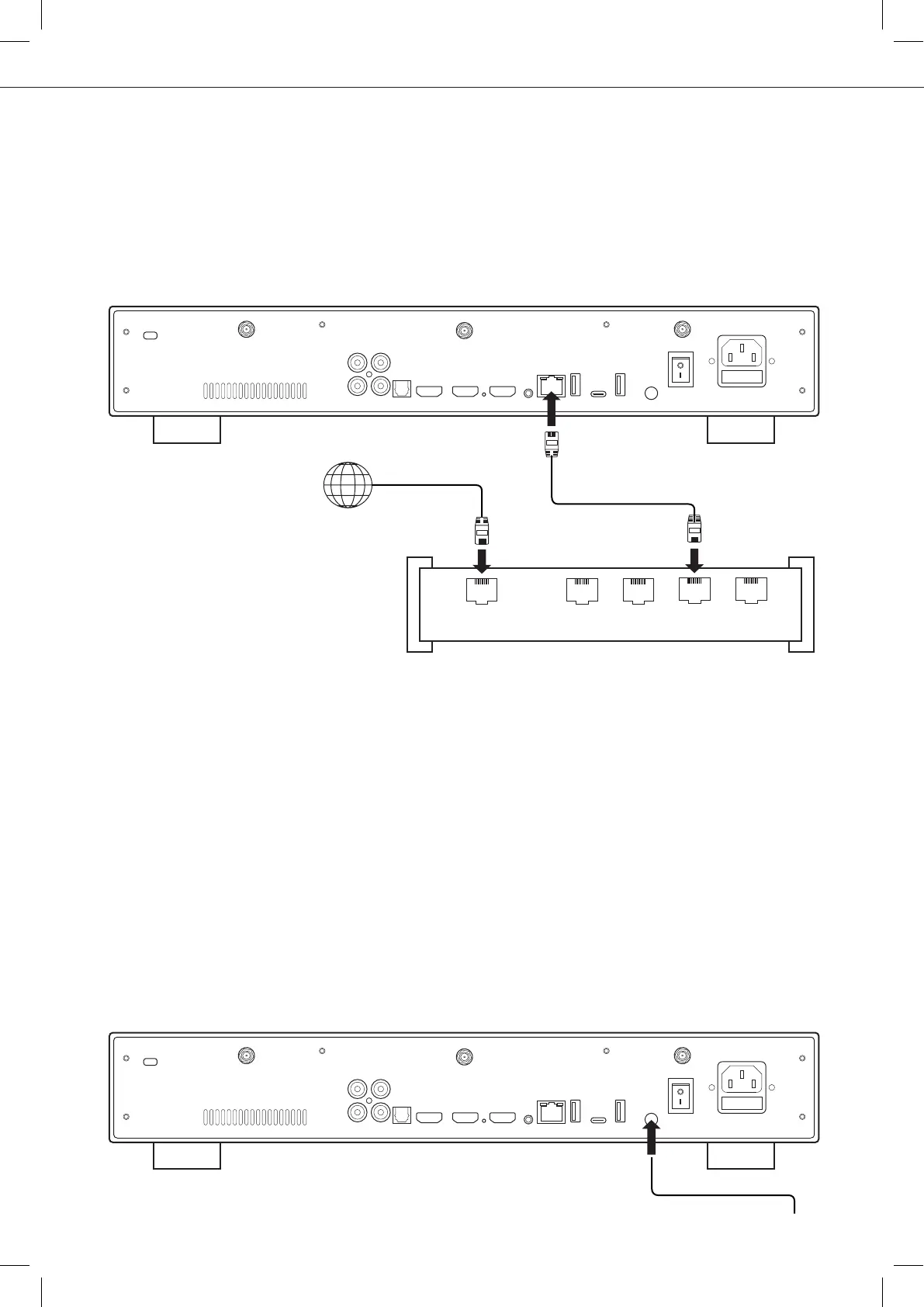
The media player provides two network connection methods: through Ethernet cable or through the
built-in wireless LAN adapter. For the fastest and most stable network connection, we recommend using
an Ethernet cable whenever possible. Plug one end of a network cable (straight Ethernet cable) into the
LAN port on the back of the media player (Category 5E or more). Then, plug the other end of the
network cable into a LAN port on the broadband router or modem (or switch if you are using one).
Ground
The ground connector on a player, often referred to as a grounding terminal, is used to establish a
connection between the player and an external grounding system. It serves to dissipate any static electri-
city or electrical interference that may accumulate on the device, helping to maintain optimal audio and
video performance. Obtain a grounding cable, which is typically a wire with a ring terminal at one end.
Ensure the cable is of sufficient length to reach the grounding point or system you plan to connect it to. This
could be a dedicated grounding terminal, a grounding rod, or another component in your audio/video setup
that has a grounding provision.
WAN 1 2
LAN3 4
Ethernet cable
Grounding terminal
LAN
Router / Modem
Wi-Fi
To set the wireless feature, start to connect the antennas to the Wi-Fi connectors located on the back of the
media player. Then, turn on your media player an go to: Setup > Network > Wireless connection (Wi-Fi). Then
click on Edit settings. You will be able to select a wireless network and enter the security password.
Ethernet Switch
For better result, we advise you to use
high-fidelity switch.
Before proceeding, make sure the media player and any connected
equipment are powered off and disconnected from the power source.



 To Next Page