Installing your Lightcloud Blue Device
(cont’d)
7
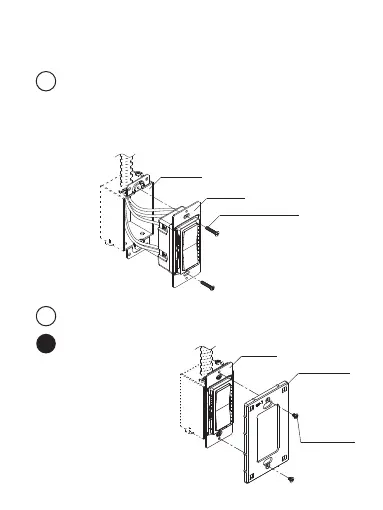
Install and Fix the Dimmer
• Ensure the Control Component is attached to the Power
Component. Carefully position all wires inside the wall box,
leaving enough room to insert the Dimmer. Secure the
Dimmer with the mounting screws provided.
Mounting Screws
Wall Box
Dimmer
• Place the base plate
over the installed
dimmer and secure
it using provided
mounting screws.
8
Install the Wall Plate
Separate Plate
8a
Mounting
Screws
Base Plate
Dimmer


 To Next Page