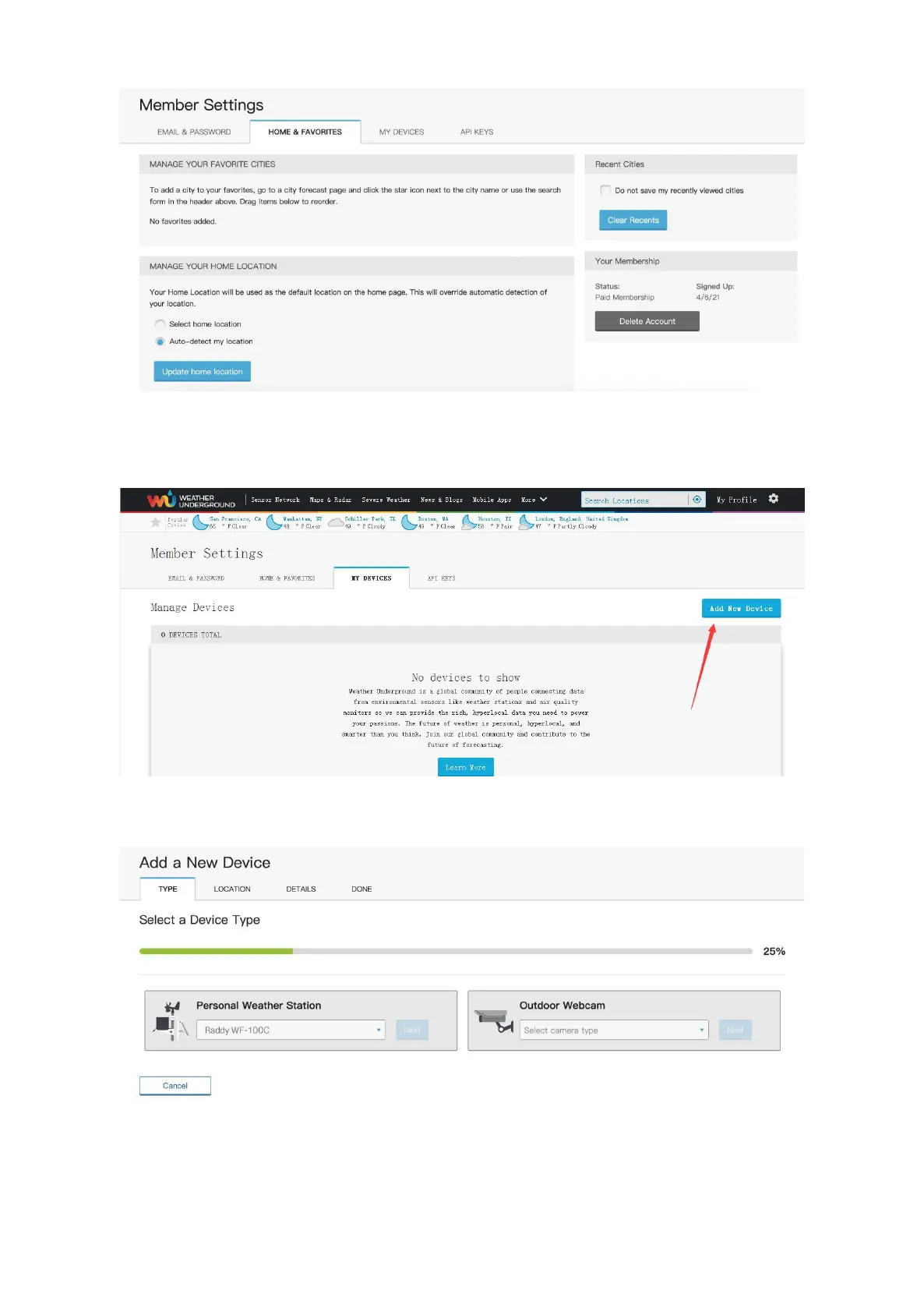
7) Now that you have entered your location, you now have to make your weather
station known to the website. To do this, select the "MY DEVICES" tab by clicking on
it. Then click “Add New Device”
8) Select “Other” under the “Personal Weather Station”.
9) Now simply enter the address that is closest to the location of your weather station
in the selection field labeled “Enter Address”. The database working in the
Wunderground automatically determines the associated district and shows the
location on a small map.


 To Next Page