EasyManua.ls Logo

Radenso Pro Series User Manual

Radenso Pro Series
12 pages
To Next Page IconTo Next Page
Page #1 background imageLoading...
Page #1 background image
Pro Series
USER MANUAL
© 2015 Radenso®

Questions and Answers:

Radenso Pro Series Specifications

General IconGeneral
SensitivityHigh
Laser DetectionYes
GPSYes
GPS LockoutsYes
Red Light Camera AlertsYes
Speed Camera AlertsYes
AutoLearn TechnologyYes
Voice AlertsYes
Display TypeOLED
Frequency DisplayYes
Signal Strength MeterYes
City/Highway ModesYes
USB PortYes
Power Source12V DC
Radar BandsX, K, Ka
Bands DetectedX, K, Ka, Laser

Summary

Quick Start up Guide

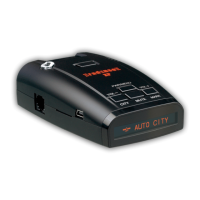
Main functions of Radenso Pro

Function of Control Buttons

Power / Menu Button

Controls power and menu access, mutes alerts.

Volume Buttons [+ - ]

Adjusts volume or navigates menu options.

Mode/Sensitivity/Mark Button

Scrolls modes or adds POI GPS points for future alarms.

Display/Alert Lockout Button

Adjusts display brightness or locks out alert locations.

Installation

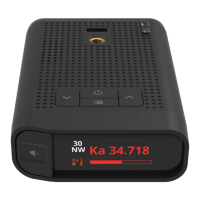
Control Buttons on Top and Side

Left button MENU / ON-OFF

Accesses setup menu or turns unit ON/OFF with long press.

Middle button BRIGHTNESS / ALERT SUPPRESSION

Manages display brightness or suppresses alerts by locking location.

Right button SENSITIVITY / ADD YOUR OWN GPS POINT

Adjusts sensitivity or adds custom GPS points for future alarms.

+ / - Buttons on the right side

Adjusts alert volume or navigates program options in Menu Mode.

Menu and User Selectable Features

Setting AutoCity Speed

SpeedMeter Mode

Troubleshooting

The detector will not turn on

Addresses issues with the unit failing to power on.

Radenso Pro did not alert to approaching police vehicle

Troubleshoots failure to detect approaching police radar.

Related product manuals