EasyManua.ls Logo

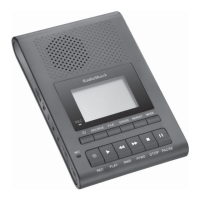
Radio Shack DR-83 - User Manual

Radio Shack DR-83
36 pages
Print Icon
To Next Page IconTo Next Page
Loading...
Owner’s Manual
Please read before using this equipment.
DR-83 90-Minute Digital
Recorder

Questions and Answers

  • D
    dkellerAug 1, 2025
    What to do if my Radio Shack DR-83 Voice Recorder says FULL?
    • K
      Katelyn FordAug 1, 2025
      If your Radio Shack Voice Recorder isn't recording and displays 'FULL' even with available space, ensure that the selected folder contains less than 100 recorded messages and that the number of messages with the same date in folder S is less than 15. Also, verify that sufficient recording time remains.
  • J
    Jack WilsonAug 8, 2025
    Why is there no sound on my Radio Shack DR-83 Voice Recorder?
    • D
      Daniel DavisAug 8, 2025
      If your Radio Shack Voice Recorder has no sound, first ensure that the volume is turned up. Also, check to see if an earphone is connected to the recorder, as this will prevent sound from playing through the speaker.
  • M
    mccoychristopherAug 15, 2025
    How to fix a Radio Shack DR-83 when operation is not normal?
    • D
      Dale StokesAug 15, 2025
      If your Radio Shack Voice Recorder is not working normally, try resetting the unit.
  • J
    jonathaneverettAug 23, 2025
    What to do if nothing happens when I press a button on my Radio Shack Voice Recorder?
    • T
      Tina HillAug 23, 2025
      If nothing happens when you press a button on your Radio Shack Voice Recorder, ensure that the HOLD switch is set in the opposite direction from the arrow. Also, verify that fresh batteries are correctly installed.

Summary

Product Features Overview

Preparation and Initial Setup

Battery Installation and Clock Setup

Steps for powering the device and setting the current time.

Recorder Component Identification

Core Operation Procedures

Basic Controls and Folder Management

Locking controls, understanding folder types, and selecting folders.

Recording and Playback Methods

How to record messages and play them back.

Advanced Operation: Scheduling and Voice Activation

Setting up scheduled recordings and using voice-activated recording.

Advanced Features and Settings

Troubleshooting Common Issues

Technical Specifications and Details

Radio Shack DR-83 Specifications

General IconGeneral
TypeDigital Voice Recorder
Power Source2 x AAA batteries
StorageBuilt-in flash memory
SpeakerBuilt-in speaker
Headphone Jack3.5mm
Battery2 x AAA
Battery LifeApproximately 15 hours recording time
Dimensions4.3" x 1.6" x 0.6" (109 x 41 x 15 mm)
Weight2.1 oz (60 g) without batteries

Related product manuals