EasyManua.ls Logo

Radio Shack DX-396 - User Manual

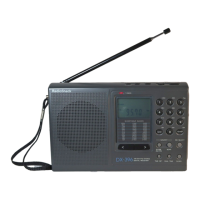
Radio Shack DX-396
20 pages
Print Icon
To Next Page IconTo Next Page
Loading...
Cat. No. 20-226
OWNER’S MANUAL
Please read before using this equipment.
DX-396
AM/SW/FM Stereo PLL Portable Receiver
20-226.fm Page 1 Tuesday, December 7, 1999 1:48 PM

Questions and Answers

  • R
    Ruth AllenAug 12, 2025
    What to do if scan tuning doesn't stop on Radio Shack DX-396 Receiver?
    • J
      James KellyAug 12, 2025
      If the scan tuning on your Radio Shack Receiver won't stop, it could be due to a couple of reasons: * The receiver might be set to memory scan. Try pressing SCAN or a number key. * There might be no incoming signal or you're scanning in LOCAL mode. Try setting it to DX.
  • H
    Hunter MunozAug 16, 2025
    Why is there no sound coming from my Radio Shack Receiver?
    • A
      Andrea MooreAug 16, 2025
      If you're not getting any sound from your Radio Shack Receiver, here are a few things to check: * Make sure the batteries aren't dead by replacing them. * Ensure the VOLUME isn't set too low; adjust it as needed. * Check if headphones are plugged in and disconnect them. * Verify the AC or DC adapter is properly connected to both the receiver and the power source.
  • W
    Wanda MeyerAug 19, 2025
    How to improve weak sound on Radio Shack Receiver?
    • J
      James GlassAug 20, 2025
      To troubleshoot weak, intermittent sound, or poor sensitivity on your Radio Shack Receiver: * Replace weak batteries. * Switch the sensitivity from LOCAL to DX. * Adjust the antenna for better reception. * If indoors, especially in a vehicle or metal building, move the receiver near a window.
  • E
    esmithAug 23, 2025
    How to fix a Radio Shack DX-396 Receiver with no display?
    • C
      Chad BrooksAug 23, 2025
      If your Radio Shack Receiver's display is blank or incorrect: * Replace the batteries. * Ensure the AC or DC adapter is connected to both the receiver and a working power source. * Check that the DC adapter's voltage is correctly set.
  • D
    Douglas BeckerAug 27, 2025
    Why don't the controls on my Radio Shack DX-396 work?
    • K
      Kayla ArnoldAug 27, 2025
      If the controls on your Radio Shack Receiver aren't working, check the LOCK switch and set it to the unlocked position.
  • J
    Jonathan FuentesAug 30, 2025
    Why won't the tuning stop on my Radio Shack Receiver?
    • B
      Benjamin BauerAug 30, 2025
      If the tuning on your Radio Shack Receiver doesn't stop, the sensitivity switch may be set to LOCAL. Try setting it to DX.
  • J
    Joanna BowenSep 3, 2025
    Why does the clock flash on my Radio Shack DX-396 Receiver?
    • S
      Sue JonesSep 4, 2025
      If the clock on your Radio Shack Receiver is flashing, it means the receiver experienced a power interruption. You'll need to reset the time.
  • M
    Melody RodriguezSep 7, 2025
    How to show band and frequency on Radio Shack DX-396 Receiver display?
    • J
      Joseph EricksonSep 7, 2025
      If your Radio Shack Receiver display is not showing the band and frequency, it might be showing the clock instead. Press the CLOCK button to change the display.

Summary

Features Overview

Preparation and Powering

Connecting Power Options

Details on powering the receiver via internal batteries, AC adapter, or DC adapter.

Using Internal Battery Power

Instructions for installing and using two alkaline C batteries.

Using AC Power

Guidance on powering the receiver using an optional AC adapter.

Using Vehicle Battery Power

Instructions for powering the receiver using a vehicle's 12V power source.

Setting the Time

Guide to setting the primary and secondary clocks and choosing the time format.

Operation and Listening

Listening to the Receiver

Basic steps to turn on the receiver and tune to stations.

Selecting the Band

Choosing between FM, MW (AM), and 12-band SW bands.

Selecting International SW Bands

Choosing specific international radio frequency bands using SW SELECT.

Tuning to a Radio Station

Methods for tuning: manual, search, direct access, preset, and scan.

Special Features and Troubleshooting

Troubleshooting Common Issues

A chart listing common problems, probable causes, and solutions.

Specifications

Frequency Range Details

Lists the frequency ranges for FM, AM, and SW bands, including sub-bands.

Radio Shack DX-396 Specifications

General IconGeneral
TypePortable Receiver
DisplayLCD
TuningDigital
ModesAM, FM
AntennaExternal antenna jack
Power SourceBatteries (4 x AA) or AC adapter
PowerDC 6V
Power SupplyAC adapter
SpeakerBuilt-in
SensitivityFM: 3 uV

Related product manuals