EasyManua.ls Logo

Radio Shack MD-1160 - User Manual

Radio Shack MD-1160
32 pages
Print Icon
To Next Page IconTo Next Page
Loading...
Owner’s Manual
Please read before using this equipment.
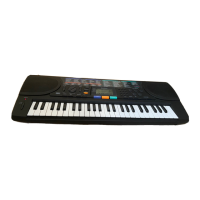
MD-1160 MIDI Keyboard

Questions and Answers

  • A
    Anthony GonzalezJul 28, 2025
    What to do if my Radio Shack MD-1160 has no sound?
    • K
      Kristen HendersonJul 29, 2025
      If your Radio Shack Electronic Keyboard isn't producing any sound, there are several potential causes: * The keyboard might have automatically turned off. Try setting the POWER/MODE to OFF and then ON again. * The volume could be too low. Repeatedly press the MAIN VOLUME L button to increase it. * Headphones might be connected. Disconnect them. * There may be a power supply issue. Check if the battery symbols (+/–) are correctly aligned, if the batteries are fresh, and if the AC or DC adapter is properly connected. * If POWER/MODE is set to FINGERED, you might not be pressing enough accompaniment keys. Try setting POWER/MODE to NORMAL or CONCERT CHORD; alternatively, press 3 or 4 keys to form a chord while POWER/MODE is set to FINGERED.

Summary

Preparation and Setup

Connecting Power Options

Instructions for powering the keyboard using batteries or AC adapter.

Keyboard Operation

Basic Operation

Turning the keyboard on/off and using basic controls.

Sound and Rhythm Selection

Selecting preset tones, split tones, percussion, and auto-rhythms.

Advanced Rhythms and Accompaniment

Using Synchro, Fill-In, Auto Accompaniment, and adjusting volume.

Special Features

Using MIDI Connectivity

Making the MIDI Connections

Instructions for connecting MIDI cables to other devices.

Troubleshooting and Care

Standard Fingering Chord Charts

MIDI Implementation Chart

Technical Specifications

Radio Shack MD-1160 Specifications

General IconGeneral
Number of Keys61
Voices/Timbres100
Rhythms100
Demo Songs10
AccompanimentYes
SpeakersYes
Power SourceAC adapter or batteries
Touch SensitivityNo
Power SupplyAC adapter

Related product manuals