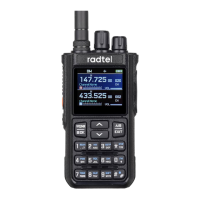
Menu Function Operation Instructions Basic Operations
Main Frequency Band Selection (A Band or B Band)
PTT Function
AM Air Band Mode
1.Press the [ ] key and use the UP/DOWN keys to select the desired menu.
2.Press the [ ] key again to enter the selected menu.
3.Use the UP/DOWN keys or the channel knob to choose menu options, or input keypad number
to enter the function quickly
4.Press the [ ] key to confirm and return to the main menu.
5.Press [ ] to exit the menu and return to normal operation mode.
Note: Frequency step, repeater shift direction, and frequency shift can only be set in frequency
mode.
When operating on the A band, press the PTT key to transmit on the A band frequency. When
operating on the B band, press the PTT key to transmit on the B band frequency.
Standby Screen: Press the A/B key to select the main frequency. The frequency highlighted in
blue indicates the main frequency, while those not highlighted in blue are secondary frequencies.
Press VFO/MR to switch to frequency mode. Directly input the air band frequency within the range
of 108 MHz to 136 MHz. The radio will automatically enter AM reception mode, and the channel
status will display AM. This mode is primarily used to receive AM modulated signals.
Scanning Mode
Assign the scanning function to the side keys PF2/PF3. Or long press button 1 to start frequency or
channel scanning. You can choose one of the following modes from menu 22:
1. Time Operation Mode (TO)
When the walkie-talkie detects a signal, it stops scanning and stays at the same frequency. After 5
seconds, it will resume scanning, even if the signal is still present.
2.Carrier Operation Mode (CO)
The walkie-talkie stops scanning and remains at the same frequency when it detects a signal, until
the signal disappears. There is a 2-second delay before scanning resumes after the signal is lost.
3.Search Operation Mode (SE)
Upon detecting a signal, the walkie-talkie exits the scan and stays on this frequency.
07 08


 To Next Page
 Loading...