Chapter 4 Hardware Installation Procedure
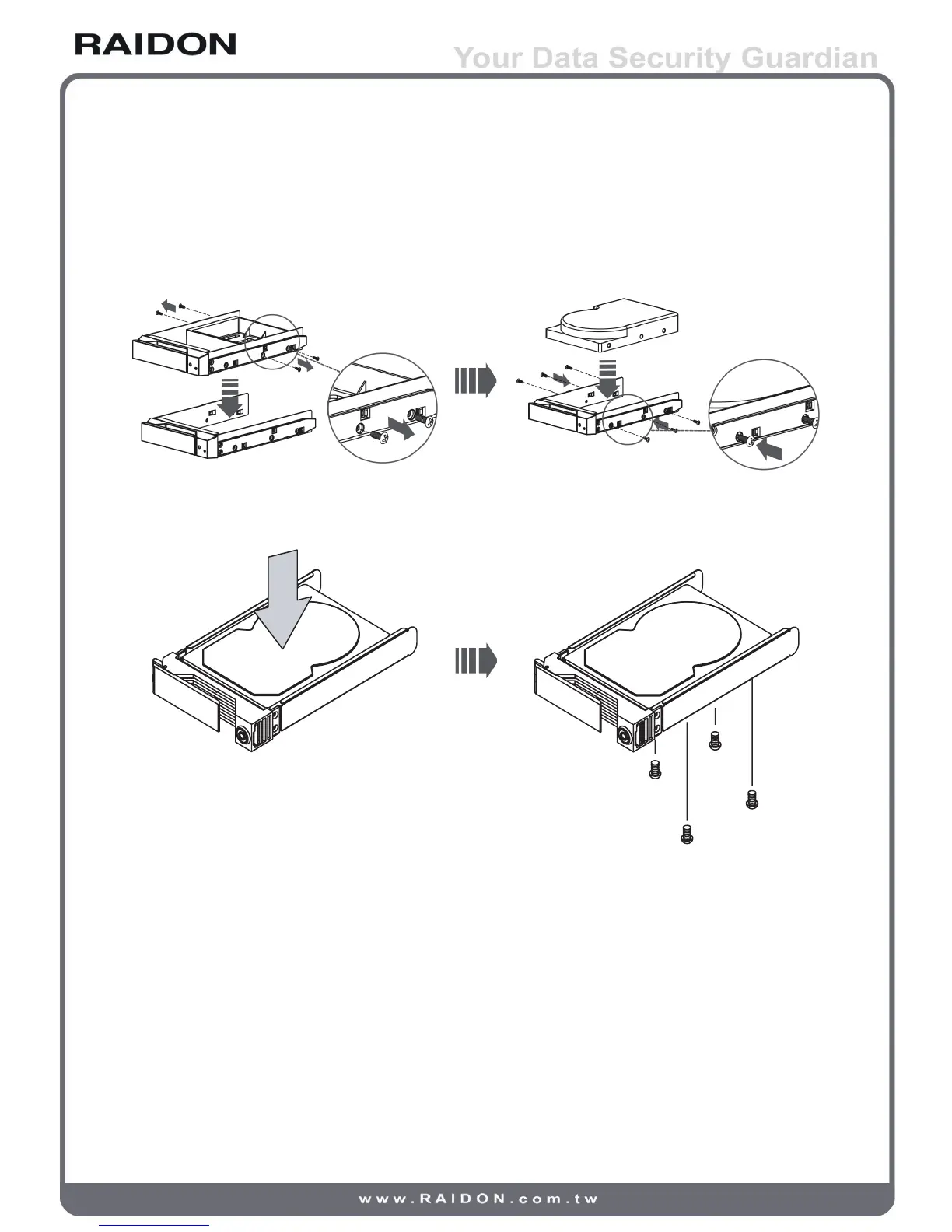
1. Install your hard disks into the removable trays and secure them with the screws from
accessory kit. This will protect your hard disk from any unnecessary movement.
iR2620
SR2611
2. Once the hard disks have been installed, insert the removable trays into device and close
the handles.
6 Hardware Installation Procedure



 To Next Page