Chapter 5 Connecting iR2620 / SR2611 to your
computer
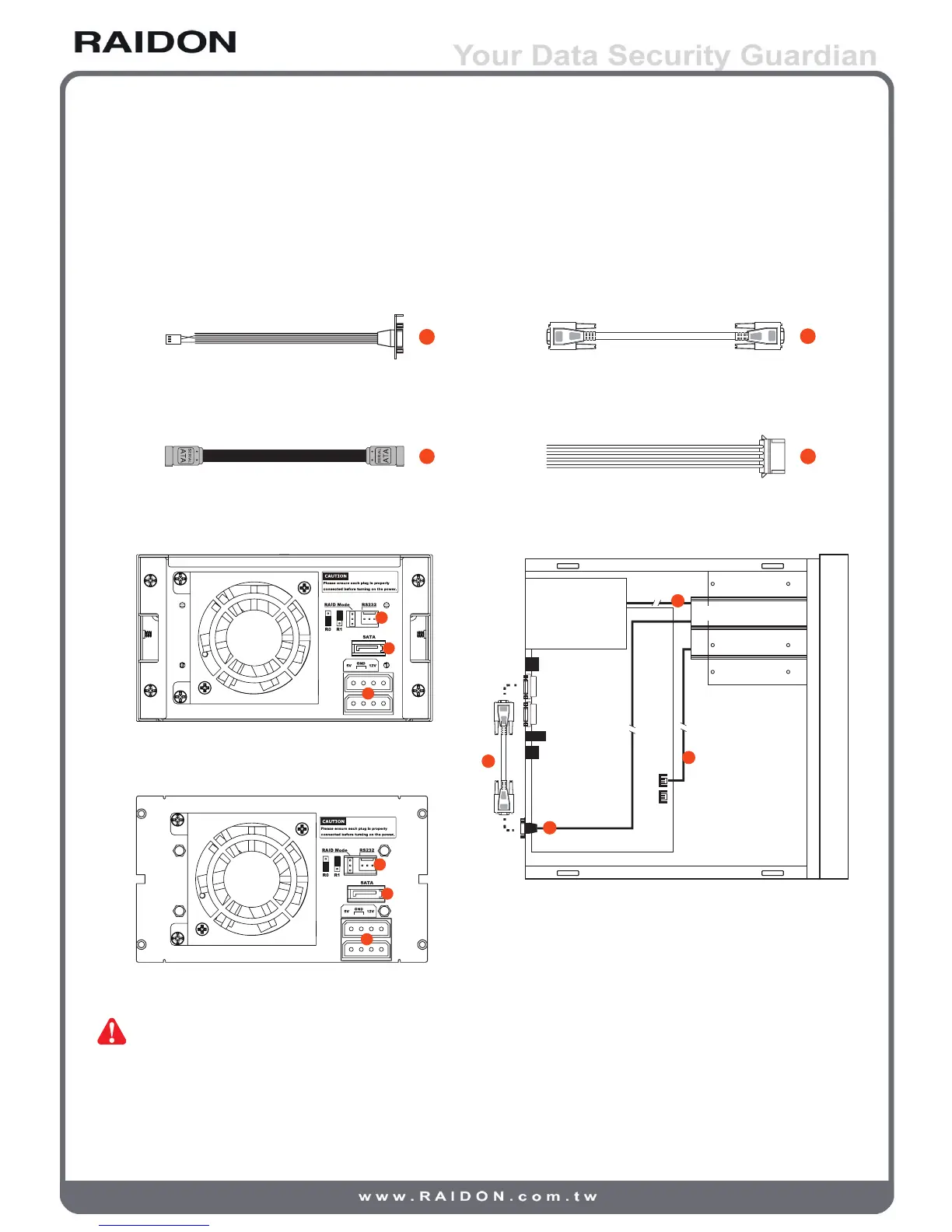
1. Connect DC12V&5V power cables and SATA cables to iR2620 / SR2611.
2. Connect SATA cable to SATA port on the motherboard.
Internal RS232 Cable External RS232 Cable
SATA Cable Power Supply Connector
iR2620 Real Panel
Internal Case
SR2611 Real Panel
Note : 1. RS232 Port and RS232 Cable: Provides hardware status monitoring to industrial control
system or IPC via RS232. If more information required, please contact at
supporting@raidon.com.tw



 To Next Page