8
2.
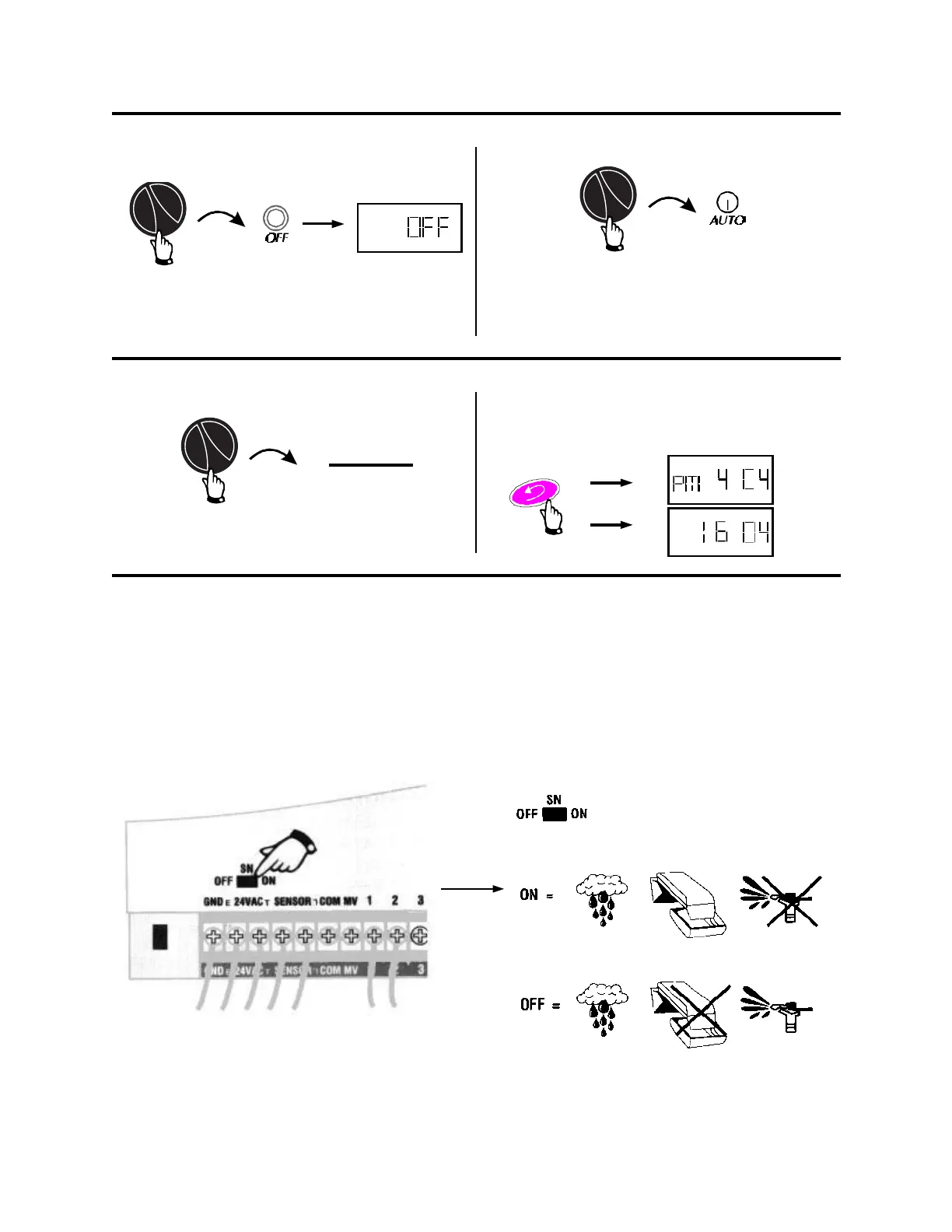
X. TO TURN CONTROLLER OFF
1.
No watering occurs, however, the controller
keeps the time, date, and your program in mem-
ory.
Return the controller to automatic operation.
AM - PM
24:00
XI. TO SET DATE/TIME DISPLAY
1.
Option
To change between the English Time/Date sys-
tem and the European method use this dial posi-
tion and the ENTER button.
XII. MOISTURE SENSOR SETTING (IF INSTALLED)
You can tell the controller to stop watering when an attached sensor reaches it’s “wet” condition. You
can also override a sensor if needed. When a sensor system interrupts watering, the controller con-
tinues it’s programs, the valves remain off.
If no sensor is attached to the controller, leave the wire loop in place that connects the two sensor
screws.
PM 4:04
12/31/99
16:04
31/12/99



 To Next Page