EasyManua.ls Logo

Rain Bird STP4PL - User Manual

Rain Bird STP4PL
25 pages
Print Icon
To Next Page IconTo Next Page
Loading...
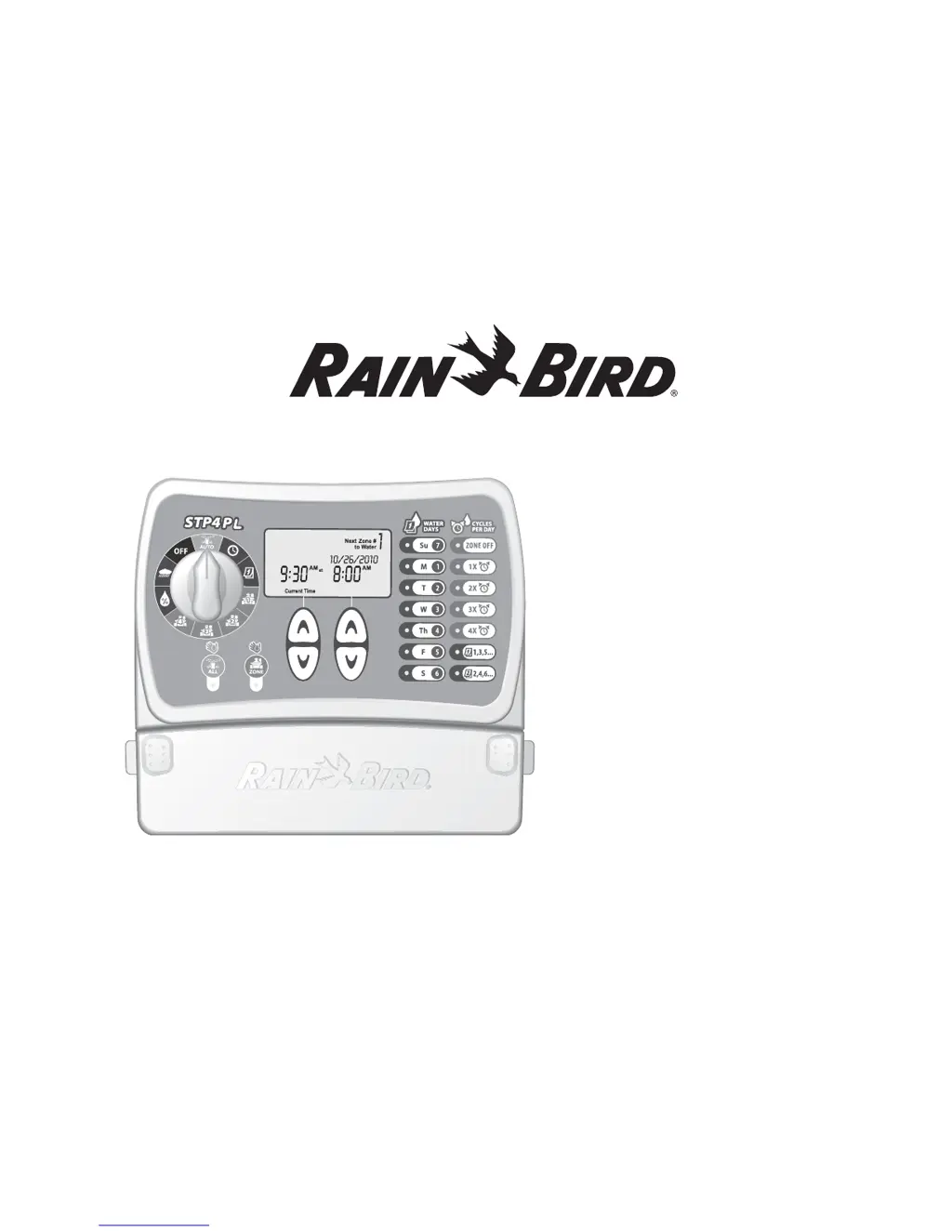
STP Plus Controller
Installation, Programming
& Operation Guide
4511-t4511-t4511-

Questions and Answers

Summary

Safety and Regulatory Information

Symbols and Warnings

Explains symbols, safety warnings for electrical hazards, and battery disposal instructions.

Regulatory Compliance

Details FCC rules compliance and guidance on electronic waste disposal.

Introduction

Welcome and Controller Features

A welcome message and an overview of the STP Plus Controller's key features.

Controller Functions Overview

Lists and briefly describes the main functions and capabilities of the STP Plus Controller.

Controller Functions and Controls

Basic Controls and Setup

Covers controller modes (OFF, AUTO), setting time and date using the dial.

Watering Schedule Programming

Details setting watering days, cycles per day, and zone configurations.

Manual Watering and Adjustments

Explains manual watering options and the Adjust Water feature.

Display and Rain Delay

Describes the display screen and the Rain Delay function.

Programming Guide

Set Clock

Steps to input the correct current time into the controller.

Set Date

Steps to input the correct current date into the controller.

Schedule Watering

Steps to set up a watering schedule for each zone, including start time and duration.

Manual Water Zone

Manual Water All

Rain Delay

Adjust Water

Normal Operations

Installation

Mount Controller

Instructions for mounting the STP Plus Controller in an accessible indoor location.

Connect Field Valve Wires

Steps to connect the valve wiring for every zone to the STP Plus controller terminal block.

Install Master Valve or Pump Start Relay

Details on connecting a Master Valve or Pump Start Relay to the controller.

Connect Rain Sensor

Instructions for connecting an optional Rain Sensor to the STP Plus Controller terminals.

Connect Power

Steps to connect the power cord and any optional accessories to the controller.

Troubleshooting

Watering Issues

Identifies common watering problems and their possible causes and solutions.

Electrical Issues

Addresses blank LCD displays and frozen controllers, providing solutions.

Resetting the Controller

Instructions on how to reset the controller to resolve operational problems.

Programming Chart

Declaration of Conformity

Summary

Safety and Regulatory Information

Symbols and Warnings

Explains symbols, safety warnings for electrical hazards, and battery disposal instructions.

Regulatory Compliance

Details FCC rules compliance and guidance on electronic waste disposal.

Introduction

Welcome and Controller Features

A welcome message and an overview of the STP Plus Controller's key features.

Controller Functions Overview

Lists and briefly describes the main functions and capabilities of the STP Plus Controller.

Controller Functions and Controls

Basic Controls and Setup

Covers controller modes (OFF, AUTO), setting time and date using the dial.

Watering Schedule Programming

Details setting watering days, cycles per day, and zone configurations.

Manual Watering and Adjustments

Explains manual watering options and the Adjust Water feature.

Display and Rain Delay

Describes the display screen and the Rain Delay function.

Programming Guide

Set Clock

Steps to input the correct current time into the controller.

Set Date

Steps to input the correct current date into the controller.

Schedule Watering

Steps to set up a watering schedule for each zone, including start time and duration.

Manual Water Zone

Manual Water All

Rain Delay

Adjust Water

Normal Operations

Installation

Mount Controller

Instructions for mounting the STP Plus Controller in an accessible indoor location.

Connect Field Valve Wires

Steps to connect the valve wiring for every zone to the STP Plus controller terminal block.

Install Master Valve or Pump Start Relay

Details on connecting a Master Valve or Pump Start Relay to the controller.

Connect Rain Sensor

Instructions for connecting an optional Rain Sensor to the STP Plus Controller terminals.

Connect Power

Steps to connect the power cord and any optional accessories to the controller.

Troubleshooting

Watering Issues

Identifies common watering problems and their possible causes and solutions.

Electrical Issues

Addresses blank LCD displays and frozen controllers, providing solutions.

Resetting the Controller

Instructions on how to reset the controller to resolve operational problems.

Programming Chart

Declaration of Conformity

Rain Bird STP4PL Specifications

General IconGeneral
BrandRain Bird
ModelSTP4PL
CategoryNetwork Router
LanguageEnglish

Related product manuals