Electrical Issues
Problem Possible Cause Possible Solution
LCD Display is blank. Transformer not plugged
in or wall socket not
supplying power.
Verify the two-prong connector is connected and the
transformer is securely plugged in.
Verify the main AC power supply is working properly.
LCD Display is
“frozen” and
Controller will
not accept
programming.
An electrical surge may
have damaged the
Controller’s electronics.
Unplug the controller for 3 minutes. Plug the controller
back in. If there is no permanent damage, the controller
will accept programming and resume normal operation.
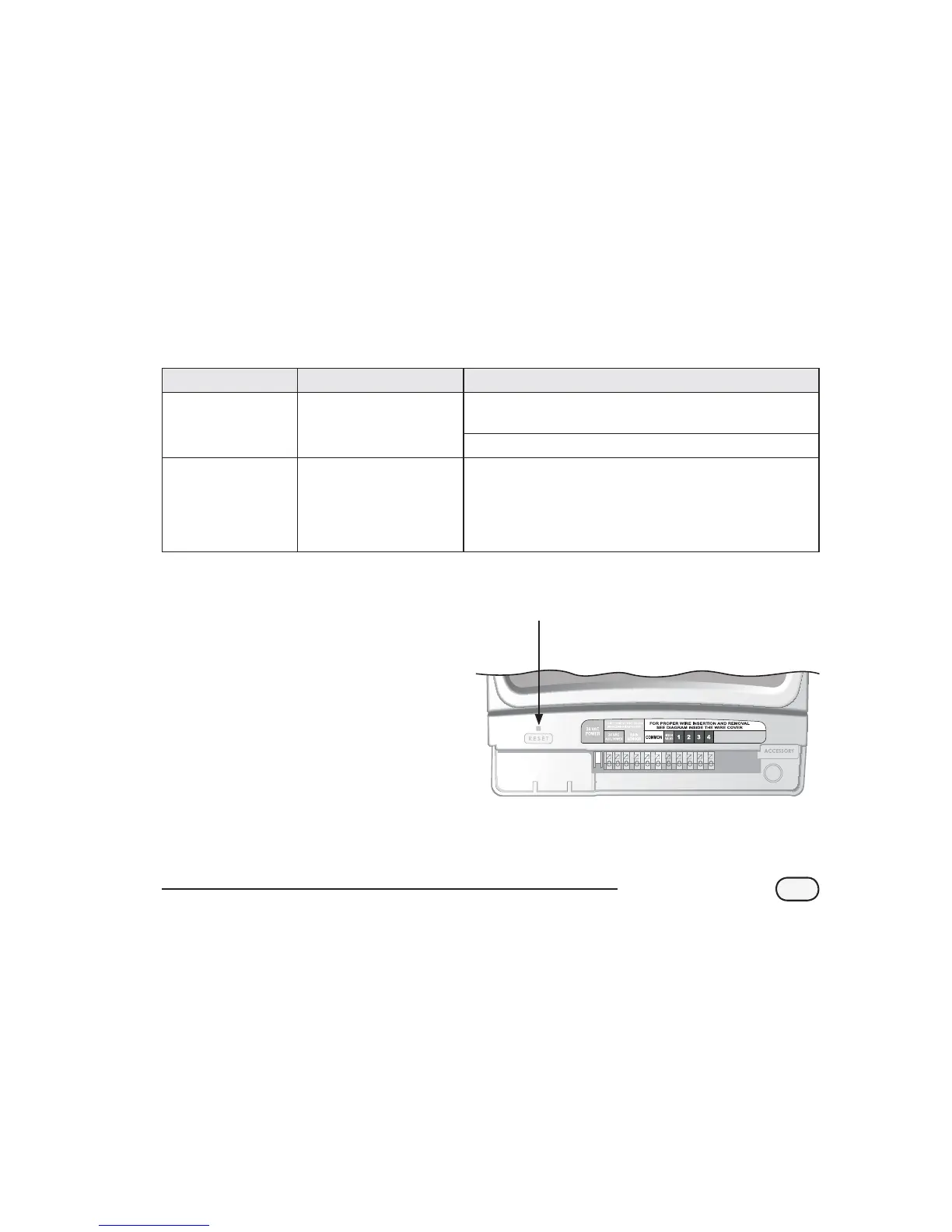
Reset
If the controller is not working properly,
pressing the Reset button located under
the wiring bay cover will reset the internal
electronics. Date and time will need to be
updated but all watering schedules should
remain intact.
To press the Reset button, carefully insert a
small tool (end of a paper clip, for example)
into the access hole and press the button
until the controller resets.
Reset Button
21
STP Plus Controller


 To Next Page