Manual Water Zone
This option can be used to water any single
zone on demand instead of waiting for the
programmed schedule:
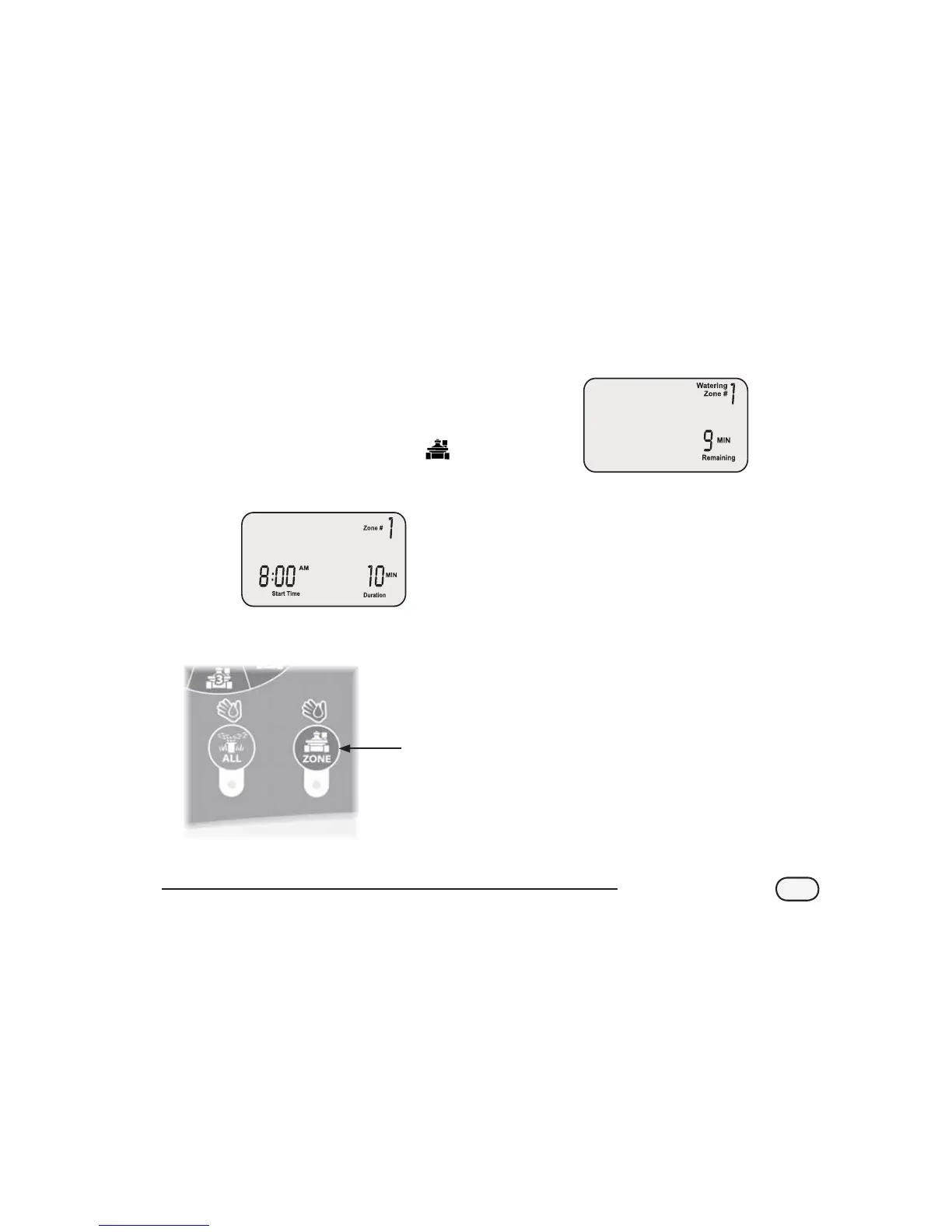
Turn the dial to the desired ZONE
The Schedule Watering screen appears with
the selected zone displayed.
Press the ZONE button to start watering for
a default 10 minutes.
ZONE
Button
The display will show the current watering
zone and the time remaining.
Use the right UP/DOWN arrows to increase
or decrease the watering time remaining.
To stop watering before the time is up, turn
the dial to OFF
.
NOTE: This function will not aect the
normal watering schedule.
9
STP Plus Controller


 To Next Page