EasyManua.ls Logo

Rain Bird SST-600i - User Manual

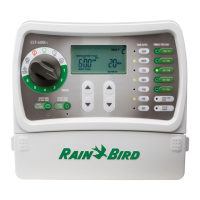
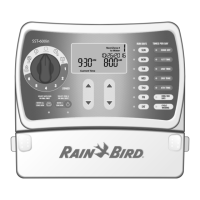
Rain Bird SST-600i
12 pages
Print Icon
To Next Page IconTo Next Page
Loading...
Welcome and thank you for purchasing the Rain Bird Simple To Set Timer! In the following
pages, you will find step by step instructions on how to use every function included in your Simple To Set Timer. If at any
time you have trouble understanding how to setup your timer, please call Rain Bird Technical Support at 1.800.Rain Bird
and let us guide you through the setup process. Thanks again and we hope you enjoy your new timer.
Simple To Set Timer Operation Manual
Question and Answer IconNeed help?

Do you have a question about the Rain Bird SST-600i and is the answer not in the manual?

Summary

Getting Started

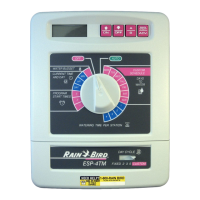
Timer Controls and Display Overview

Identifies and explains all buttons, dial positions, and screen elements of the timer.

Setting Clock

Clock Setting Procedure

Step-by-step guide to input the correct current time into the timer.

Setting Date

Date Setting Procedure

Step-by-step guide to input the correct current date into the timer.

Scheduled Watering

Programming Zone Watering Schedules

Instructions for setting watering days, times, and duration for each zone.

Water 1 Zone Now

Manual Zone Watering Procedure

How to manually water a single zone on demand for a specific duration.

Water All Now

Manual All Zones Watering Procedure

Procedure to manually water all zones sequentially for their programmed duration.

Rain Delay Feature

Using Rain Delay to Suspend Watering

Guide on how to temporarily suspend automatic watering for up to three days.

Season Adjust Feature

Seasonal Watering Adjustments Procedure

Instructions for adjusting the overall watering percentage based on seasonal needs.

Troubleshooting

Watering Issues

Solutions for problems with automatic and manual watering cycles.

Electrical Issues

Solutions for LCD display problems and unresponsive controls.

Summary

Getting Started

Timer Controls and Display Overview

Identifies and explains all buttons, dial positions, and screen elements of the timer.

Setting Clock

Clock Setting Procedure

Step-by-step guide to input the correct current time into the timer.

Setting Date

Date Setting Procedure

Step-by-step guide to input the correct current date into the timer.

Scheduled Watering

Programming Zone Watering Schedules

Instructions for setting watering days, times, and duration for each zone.

Water 1 Zone Now

Manual Zone Watering Procedure

How to manually water a single zone on demand for a specific duration.

Water All Now

Manual All Zones Watering Procedure

Procedure to manually water all zones sequentially for their programmed duration.

Rain Delay Feature

Using Rain Delay to Suspend Watering

Guide on how to temporarily suspend automatic watering for up to three days.

Season Adjust Feature

Seasonal Watering Adjustments Procedure

Instructions for adjusting the overall watering percentage based on seasonal needs.

Troubleshooting

Watering Issues

Solutions for problems with automatic and manual watering cycles.

Electrical Issues

Solutions for LCD display problems and unresponsive controls.

Rain Bird SST-600i Specifications

General IconGeneral
Zones6
Indoor/Outdoor UseIndoor
MountingWall Mount
Programs1
Cycle and SoakYes
Rain DelayYes
Manual WateringYes
DisplayLCD
Weight1.1 lbs
Watering ScheduleFlexible
Battery BackupYes

Related product manuals