EasyManua.ls Logo

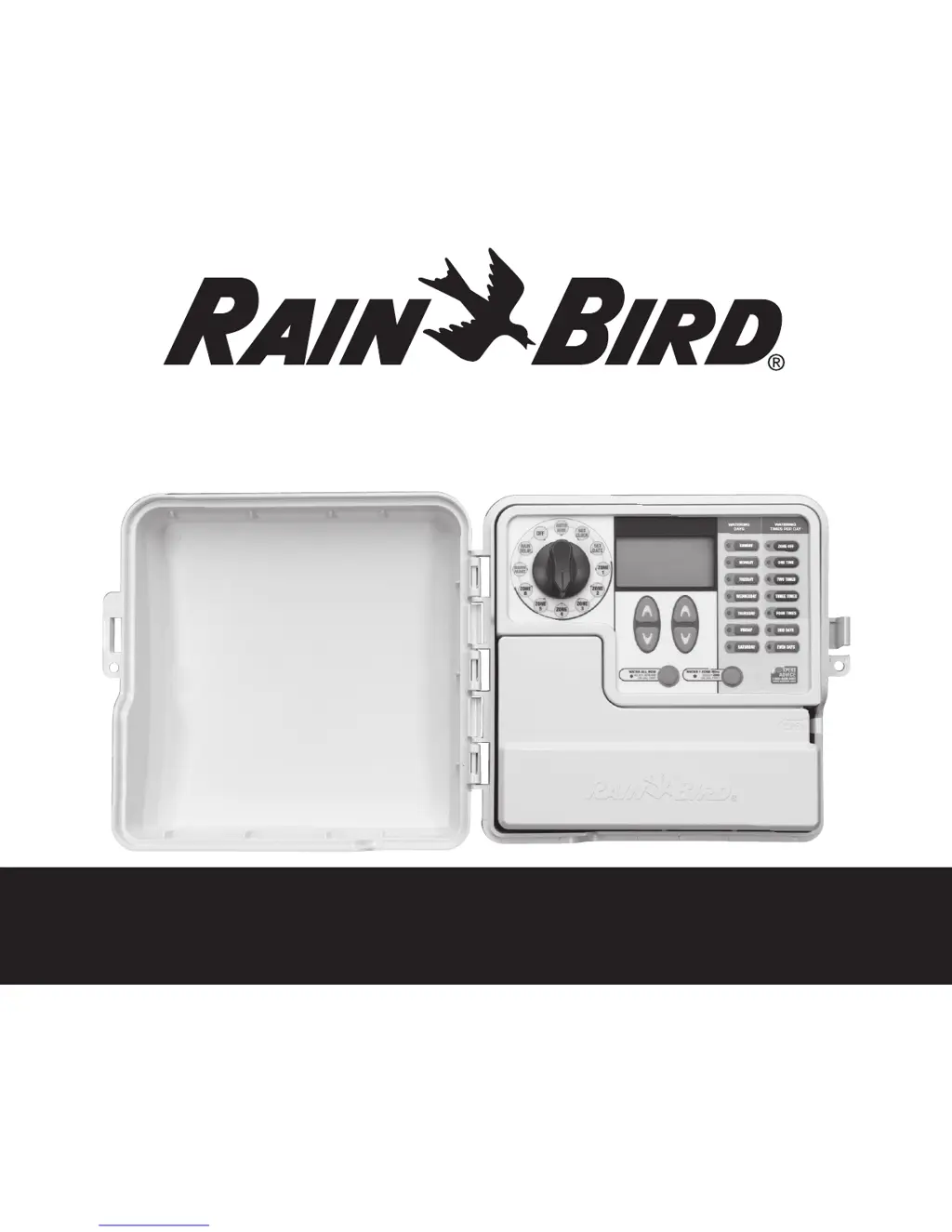
Rain Bird SST-900i - User Manual

Rain Bird SST-900i
12 pages
Print Icon
To Next Page IconTo Next Page
Loading...
Welcome and thank you for purchasing the Rain Bird Simple To Set Timer! In the following
pages, you will find step by step instructions on how to use every function included in your Simple To Set Timer. If at any
time you have trouble understanding how to setup your timer, please call Rain Bird Technical Support at 1.800.Rain Bird
and let us guide you through the setup process. Thanks again and we hope you enjoy your new timer.
Simple To Set Timer Operation Manual

Other manuals for Rain Bird SST-900i

Questions and Answers

  • B
    baileyhenryAug 15, 2025
    What to do if Rain Bird SST-900i Timer LCD display is blank?
    • S
      Sarah MillerAug 15, 2025
      If the LCD display on your Rain Bird Timer is blank, it could be due to a power issue. For indoor models, check that the power cord is properly connected and securely plugged in. For outdoor models, verify that the transformer is wired correctly and the circuit breaker is on.
  • H
    hallwilliamAug 18, 2025
    What to do if my Rain Bird Timer automatic cycle won't start?
    • T
      Tracy ReeseAug 18, 2025
      If the automatic cycle on your Rain Bird Timer isn't starting, several factors could be the cause. First, ensure that the main water line and all supply lines are open and functioning correctly, providing water to the system. Also, verify that the dial is set to 'AUTO RUN' and not another position. If you have a rain sensor, it might be activated; either wait for it to dry or disconnect it by connecting the two yellow terminals with a wire. If you don't have a rain sensor, make sure the wire connecting the two yellow terminals isn't damaged or missing; connect them with a short length of 14 to 18 gauge wire. Finally, an electrical surge could be the issue; press the reset button under the wiring cover to resume normal operation.
  • J
    Joy DawsonAug 25, 2025
    What does Valve short error message on Rain Bird Timer LCD display mean?
    • J
      John YoungAug 26, 2025
      A valve short error message on your Rain Bird Timer's LCD display indicates potential issues with the wiring. Inspect the wiring of the zone mentioned in the error message for any damage, and replace the wiring if needed. Also, check all connections and replace them with watertight connectors if necessary.
  • P
    Patricia StevensonAug 28, 2025
    Why won't my Rain Bird SST-900i start watering?
    • R
      Richard JonesAug 28, 2025
      If your Rain Bird Timer isn't starting the watering cycles, it could be due to several reasons. Make sure the main water line and all supply lines are open and working. Check that all field wires and master valve/pump start relay wiring is properly connected. Inspect field wiring for damage and replace if needed, ensuring watertight wire connections. Confirm the dial is set to 'AUTO RUN'. Also, check the rain sensor; either wait for it to dry or disconnect it by wiring the two yellow terminals together. If there's no rain sensor, make sure the wire connecting the two yellow terminals isn't damaged or missing, and connect them with a suitable wire. As a last resort, press the reset button in case of an electrical surge.
  • J
    Joel SuarezAug 30, 2025
    What to do if Rain Bird SST-900i Timer watering cycles do not shut off?
    • K
      Kayla CohenAug 30, 2025
      If your Rain Bird Timer's watering cycles are not shutting off, there might be debris trapped in the valve. Try flushing the valve by temporarily opening the dump hole and then re-tightening it.
  • S
    Shane MurraySep 2, 2025
    How to fix Rain Bird SST-900i Timer LCD display if it is frozen?
    • W
      Willie FrazierSep 3, 2025
      If your Rain Bird Timer's LCD display is frozen and not responding to programming, it might be due to an electrical surge. Try disconnecting the power to the timer for 3 minutes, then turn it back on. If there's no permanent damage, the timer should start accepting programming and resume normal operation.
  • J
    Jonathan LeeSep 5, 2025
    Why there is no red LED light on my indoor Rain Bird Timer?
    • A
      Amber CastilloSep 5, 2025
      If the red LED light is not on for your indoor Rain Bird Timer, the transformer may have blown. You should replace the transformer.
  • K
    Kevin BrooksSep 8, 2025
    Why is my Rain Bird SST-900i Timer LCD display blank?
    • B
      bowmanadamSep 9, 2025
      If the LCD display on your Rain Bird Timer is blank, there are a couple of potential reasons. Ensure that the two-prong connector is properly connected and that the transformer is securely plugged in. Also, verify that the wall socket is supplying power correctly.
  • S
    Steven HunterSep 12, 2025
    What to do if Rain Bird SST-900i Timer LCD display is frozen?
    • D
      dawn21Sep 12, 2025
      If your Rain Bird Timer's LCD display is frozen and not accepting programming, it might be due to an electrical surge. Unplug the timer for 3 minutes, then plug it back in. If there's no permanent damage, the timer should resume normal operation and accept programming.
  • N
    njohnsonNov 20, 2025
    Why Rain Bird SST-900i automatic and manual cycles do not begin watering?
    • C
      Colleen WallaceNov 20, 2025
      If your Rain Bird Timer's automatic and manual cycles aren't starting, several factors could be at play. First, ensure your main water supply and all related lines are open and functioning correctly. Check all field wires, including those for the timer, master valve (or pump start relay), and any splices, ensuring they're properly connected. Inspect for any wire damage or corrosion, replacing wires and using watertight connectors as necessary. Also, make sure the dial is set to the AUTO RUN position. If you have a rain sensor installed, it might be activated; operation will resume once it dries, or you can test by disconnecting it and using a jumper wire. If no sensor is present, verify the jumper wire between the yellow rain sensor terminals is intact. Finally, an electrical surge could h...

Summary

Getting Started

Control Dial Functions

Overview of the timer's main dial positions for various settings and operations.

Setting Clock

Set Clock Procedure

Step-by-step instructions for setting the current time on the timer.

Setting Date

Set Date Procedure

Step-by-step instructions for setting the current date on the timer.

Scheduled Watering

Zone Watering Setup Steps

Instructions for programming watering schedules for each zone.

Rain Delay

Setting Rain Delay Period

Instructions for suspending watering for a set period.

Season Adjust

Troubleshooting Common Issues

Rain Bird SST-900i Specifications

General IconGeneral
BrandRain Bird
ModelSST-900i
CategoryTimer
LanguageEnglish

Related product manuals