EasyManua.ls Logo

Rain Bird SST-600in - User Manual

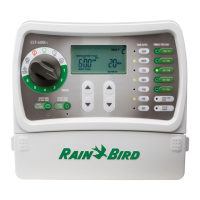
Rain Bird SST-600in
10 pages
Print Icon
To Next Page IconTo Next Page
Loading...
Rain+Birdt
Simple To Set Timer (SST)
Setup & Operation Instructions
SST user manual (EN) web.indd 1 10/11/2016 8:17:22 PM

Questions and Answers

Summary

Installation Guide

Tools and Supplies Needed

Lists necessary tools and materials for installation.

Mount Timer

Instructions for physically mounting the timer unit to a wall.

Connect Power

Details on connecting the timer to a power source for operation.

Installation - Valve Wiring and System Verification

Connect Valve Wires To Timer

Guide for wiring the irrigation valves to the timer terminals.

Verify System Operation

Steps to confirm the timer and connected zones are functioning correctly.

Optional Accessories

Rain Sensor Connection

Instructions for connecting an optional rain sensor to the timer.

Master Valve Or Pump Start Relay

How to connect optional master valve or pump start relay.

Controls and Indicators Overview

Timer Controls and Functions

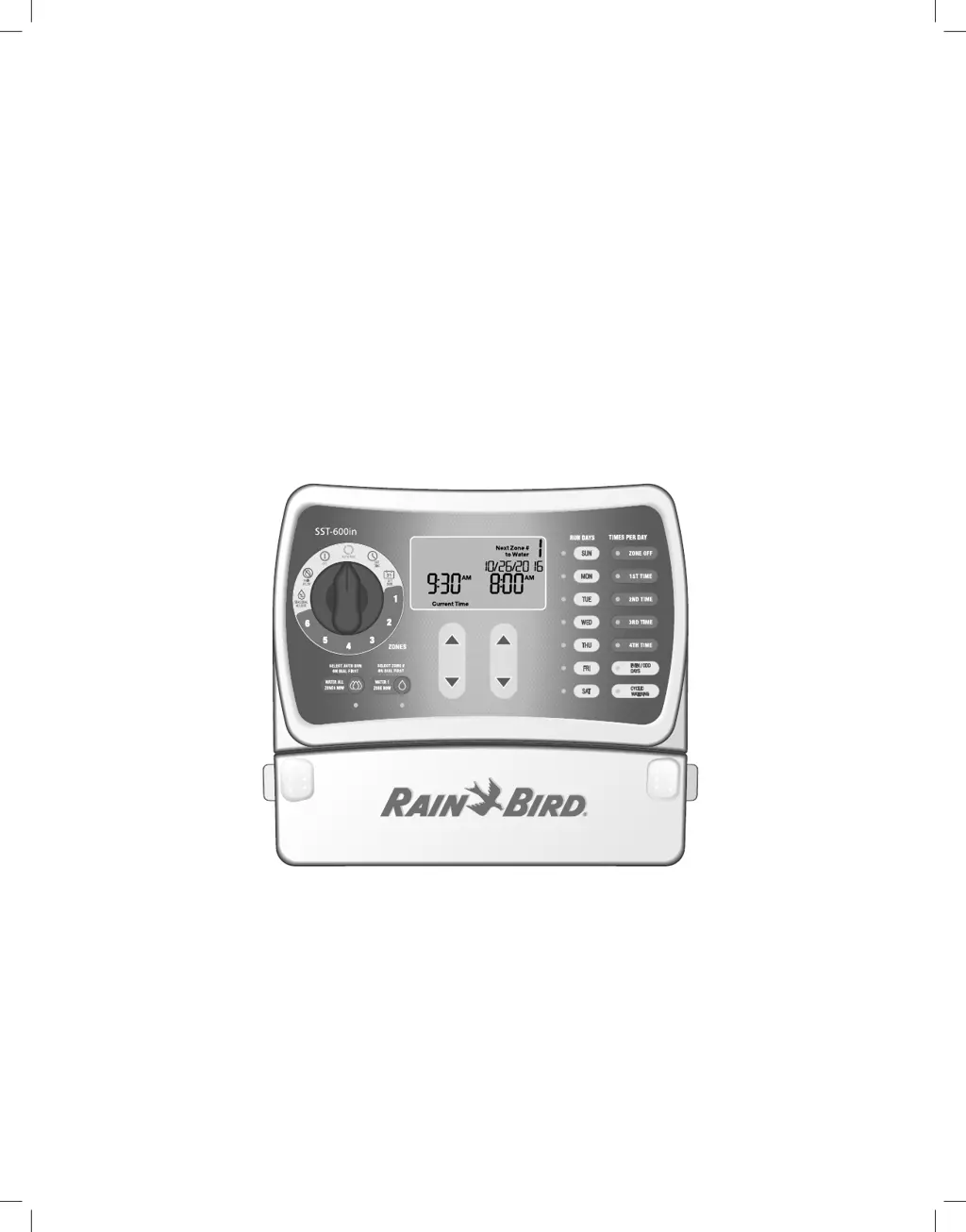
Explains the main dial settings like AUTO RUN, OFF, RAIN DELAY, and manual watering options.

Programming Options and Display Indicators

Describes settings like RUN DAYS, TIMES PER DAY, ODD/EVEN, CYCLIC, and arrow keys.

Setting the Timer

Set Time

Procedure to set the current time on the timer.

Set Date

Procedure to set the current date on the timer.

Schedule Watering

Steps to program watering schedules, including start times and run times.

Multiple Start Times

How to set more than one watering start time per day for a zone.

Seasonal Adjust

Adjusts watering duration percentages based on seasons.

Rain Delay

Temporarily suspends watering for a set period.

Normal Operation Screens

Not Watering Display

What the display shows when the timer is not actively watering.

Watering Now Display

What the display shows when a zone is currently watering.

Rain Delay Display

What the display shows when a rain delay is active.

Seasonal Adjust Display

What the display shows when seasonal adjustment is active.

Error Detected Display

How errors are indicated on the timer display.

Manual Operation and Troubleshooting

Manual Watering Options

Instructions for manually starting watering cycles.

Troubleshooting Watering Issues

Common problems related to watering cycles and their solutions.

Troubleshooting Electrical Issues

Common electrical problems with the timer and their solutions.

Summary

Installation Guide

Tools and Supplies Needed

Lists necessary tools and materials for installation.

Mount Timer

Instructions for physically mounting the timer unit to a wall.

Connect Power

Details on connecting the timer to a power source for operation.

Installation - Valve Wiring and System Verification

Connect Valve Wires To Timer

Guide for wiring the irrigation valves to the timer terminals.

Verify System Operation

Steps to confirm the timer and connected zones are functioning correctly.

Optional Accessories

Rain Sensor Connection

Instructions for connecting an optional rain sensor to the timer.

Master Valve Or Pump Start Relay

How to connect optional master valve or pump start relay.

Controls and Indicators Overview

Timer Controls and Functions

Explains the main dial settings like AUTO RUN, OFF, RAIN DELAY, and manual watering options.

Programming Options and Display Indicators

Describes settings like RUN DAYS, TIMES PER DAY, ODD/EVEN, CYCLIC, and arrow keys.

Setting the Timer

Set Time

Procedure to set the current time on the timer.

Set Date

Procedure to set the current date on the timer.

Schedule Watering

Steps to program watering schedules, including start times and run times.

Multiple Start Times

How to set more than one watering start time per day for a zone.

Seasonal Adjust

Adjusts watering duration percentages based on seasons.

Rain Delay

Temporarily suspends watering for a set period.

Normal Operation Screens

Not Watering Display

What the display shows when the timer is not actively watering.

Watering Now Display

What the display shows when a zone is currently watering.

Rain Delay Display

What the display shows when a rain delay is active.

Seasonal Adjust Display

What the display shows when seasonal adjustment is active.

Error Detected Display

How errors are indicated on the timer display.

Manual Operation and Troubleshooting

Manual Watering Options

Instructions for manually starting watering cycles.

Troubleshooting Watering Issues

Common problems related to watering cycles and their solutions.

Troubleshooting Electrical Issues

Common electrical problems with the timer and their solutions.

Rain Bird SST-600in Specifications

General IconGeneral
Number of Zones6
Display TypeLCD
Watering Duration1 minute to 6 hours
Rain DelayYes
Battery BackupYes
Cycle and SoakYes
Manual WateringYes
Weight1.5 lbs
Power SourceAC

Related product manuals