EasyManua.ls Logo

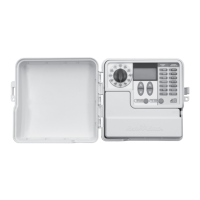
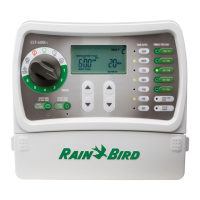
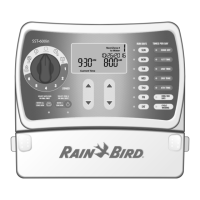
Rain Bird SST600IN - User Manual

Rain Bird SST600IN
27 pages
Go to English
Print Icon
To Next Page IconTo Next Page
Loading...
User Manual of Product 1:
Rain Bird SST600IN Simple-To-Set Indoor Sprinkler/Irrigation
System Timer/Controller, 6-Zone/Station,Gray/Green
User Manual of Product 2:
Rain Bird CPRSDBEX Wired Rain Sensor with Mounting
Bracket and Wire Gray

Questions and Answers

  • D
    Devin PenaAug 13, 2025
    What to do if the LCD display is blank on my Rain Bird SST600IN Timer?
    • C
      Christopher SullivanAug 13, 2025
      If the LCD display is blank, first check that the power cord is connected and securely plugged in if it's an indoor unit. For outdoor units, verify the transformer is wired correctly and the circuit breaker is on. The issue is likely that the timer is not receiving power.
  • M
    melissa98Aug 19, 2025
    How to fix a frozen LCD display on a Rain Bird SST600IN that won't accept programming?
    • L
      Lisa DavisAug 19, 2025
      If the LCD display is frozen and the timer won't accept programming, an electrical surge may have damaged the timer's electronics. Disconnect power to the timer for 3 minutes, press the reset button, and then turn it back on. If there is no damage, the timer should accept programming and resume normal operation.
  • N
    Nathan AndrewsAug 26, 2025
    Why is there no red LED light on my Rain Bird Timer transformer (indoor only)?
    • S
      Samuel PerezAug 26, 2025
      If there is no red LED light on the transformer (indoor only), the transformer may be blown. Replace the transformer.
  • N
    nicholasnicholsAug 31, 2025
    What does 'Valve short error message' mean on my Rain Bird Timer?
    • T
      Thomas AlvaradoSep 1, 2025
      If you see a 'Valve short' error message on the LCD display, the wires may be damaged or corroded. Check the wiring for the indicated zone for damage and replace if necessary. Also, check all connections and replace them with watertight connectors as needed.
  • A
    April MayNov 6, 2025
    Why won't my Rain Bird SST600IN start watering automatically or manually?
    • S
      sierra18Nov 6, 2025
      If automatic and manual cycles do not begin watering, first, make sure the main water and all supply lines are open and working. Then, check that field wires are properly connected, including the timer, master valve (or pump start relay), and any splices. Look for damaged or corroded wires and replace them, using watertight connectors. Ensure the dial is set to the AUTO RUN position, and the date and time are correctly set on the controller. If a Rain Sensor is installed, it may be activated; operation will resume when it dries, or you can test by disconnecting the sensor and connecting a jumper wire. If no Rain Sensor is installed, ensure the jumper wire is present and undamaged. Finally, an electrical surge may have damaged the timer; disconnect power for 3 minutes, press reset, and turn...

Summary

Rain Bird SST600 IN Timer Installation

Installation Overview

Details on installing the sprinkler timer, including tools, supplies, and initial setup.

Mounting the Timer

Step-by-step guide for physically mounting the SST timer unit to a wall.

Connecting Power and Wiring

Instructions for connecting the power source and valve wires to the timer.

System Verification and Optional Accessories

Steps to test timer functionality and information on optional accessories like rain sensors.

Setting the Rain Bird SST600 IN Timer

Setting Time and Date

Guide on configuring the timer's current time and date.

Scheduling Watering

Instructions for setting start times, run times, and watering days for zones.

Watering Frequency and Advanced Features

Selecting watering times per day, run days, and advanced options like seasonal adjust.

SST600 IN Timer Operation Modes

Normal Operation Displays

Explains the different screens shown during normal operation like 'Not Watering' or 'Watering Now'.

Manual Watering Functions

Instructions for manually starting watering for all zones or a single zone.

Troubleshooting the SST600 IN Timer

Watering Issues

Common problems related to watering cycles not starting or shutting off.

Electrical Issues

Solutions for problems like blank displays, no power, or frozen screens.

RSD Rain Sensor Installation and Operation

Selecting Sensor Location

Guidelines for choosing an optimal mounting location for the rain sensor.

Setting Rainfall and Vent Ring

How to adjust the sensor's rainfall setting and vent ring for proper operation.

Mounting and Wiring the Sensor

Instructions for mounting the sensor bracket and wiring it to the controller.

Sensor Maintenance and Testing

Procedures for cleaning the sensor and testing its functionality.

Rain Bird SST600IN Specifications

General IconGeneral
Zones6
Indoor/OutdoorIndoor
Manual WateringYes
Rain DelayYes
Cycle and SoakNo
Backlit LCD DisplayNo
Watering DaysCustomizable
Power SourceAC Power

Related product manuals