EasyManua.ls Logo

Rain Bird WP 8 - User Manual

Rain Bird WP 8
18 pages
Print Icon
To Next Page IconTo Next Page
Loading...
Technotes
WP SERIES
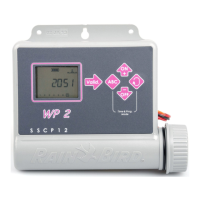
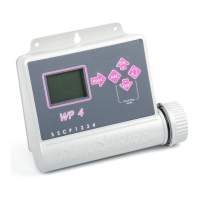
WP 2 / WP 4 / WP 6 / WP 8
09/2004
1
18
35
52
69
86
103
120
137
All manuals and user guides at all-guides.com
all-guides.com

Questions and Answers

  • A
    Amy NelsonAug 6, 2025
    What to do if the station does not come on for Rain Bird WP 8 Control Unit?
    • J
      James DanielsAug 6, 2025
      If a station on your Rain Bird Control Unit doesn't come on, there could be several reasons: * Ensure you are using a 9V latching solenoid. * Check the electric wiring. * Verify that run time has been set for the station. * Confirm that the sensor system isn't preventing irrigation. * Make sure a start time has been entered for the program to which the station is assigned. * Check that the water budget for the station’s program is not set to 0%.
  • W
    William GrahamAug 23, 2025
    Why does irrigation continue after I remove the batteries from my Rain Bird Control Unit?
    • D
      Daniel AvilaAug 23, 2025
      Why does irrigation continue after I remove the batteries from my Rain Bird Control Unit? Battery powered controllers operate by impulses. To stop watering, the electric valve needs to receive a shutdown impulse. Removing batteries prevents the controller from sending the shutdown impulse.

Summary

Wiring and Installation

Wiring to Electric Valves

Details controller capacity, master valve usage, and wiring important notes.

Rain Sensor Wiring

Instructions for connecting the optional Rain Sensor RSD-BEx.

Sensor Activation Indicator

How the rain sensor activation is displayed on the controller.

Controller Setup and Basic Programming

Battery Installation and Initial Setup

Steps for connecting batteries and initial startup procedures.

Accessing Programming Menus

How to enter the protected programming menu and basic menu options.

Setting Clock and Day

Configuring the current time and day of the week on the controller.

Setting Watering Days

Selecting specific days of the week for watering programs.

Setting Watering Time per Station

Defining watering duration for each station and assigning it to a program.

Setting Watering Start Times

Configuring the start times for watering cycles.

Advanced Controller Functions

Controller Status Screen and Rain Delay

Viewing system status and setting the Rain Delay feature.

Water Budget Adjustment

Using the Water Budget feature to adjust watering time percentages.

Manual Operation Modes

Initiating single station or cycle watering manually.

Station Testing

Performing a test cycle for all stations to verify irrigation system.

System On;Shutdown Control

Enabling or disabling programmed watering and setting weather shutdowns.

Support and Compliance

Troubleshooting Common Issues

Addresses problems like stations not starting or continuous irrigation.

Technical Assistance and Warranty

Contact information for support and warranty details.

Declaration of Conformity

Statement of conformity to EU directives for electromagnetic compatibility.

Rain Bird WP 8 Specifications

General IconGeneral
Number of Stations8
Cycle and SoakYes
Manual WateringYes
Programs4
Start Times per Program8
Rain DelayYes
TypeBattery-operated controller
Watering Days7

Related product manuals