EasyManua.ls Logo

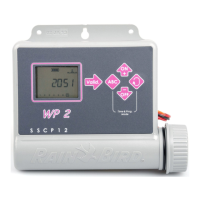
Rain Bird WP 2 - User Manual

Rain Bird WP 2
18 pages
Print Icon
To Next Page IconTo Next Page
Loading...
Technotes
WP SERIES
WP 2 / WP 4 / WP 6 / WP 8
09/2004
1
18
35
52
69
86
103
120
137
All manuals and user guides at all-guides.com
all-guides.com

Questions and Answers

  • J
    James SmithAug 7, 2025
    What to do if the station does not come on for Rain Bird WP 2?
    • R
      Renee CollinsAug 7, 2025
      If a station on your Rain Bird Control Unit doesn't come on, there could be several reasons: * Ensure you are using a 9V latching solenoid. * Check the electric wiring. * Verify that run time has been set for the station. * Confirm that the sensor system isn't preventing irrigation. * Make sure a start time has been entered for the program to which the station is assigned. * Check that the water budget for the station’s program is not set to 0%.
  • J
    Justin HillAug 21, 2025
    Why does irrigation continue after I remove the batteries from my Rain Bird Control Unit?
    • S
      Sara CooperAug 21, 2025
      Why does irrigation continue after I remove the batteries from my Rain Bird Control Unit? Battery powered controllers operate by impulses. To stop watering, the electric valve needs to receive a shutdown impulse. Removing batteries prevents the controller from sending the shutdown impulse.

Summary

Wiring to the Rain Sensor

Access to Programming and Basic Menu

Programming Menu

Set Clock and Day

Instructions for setting the current time and day of the week.

Set Water Days

Configure Watering Days

Instructions for selecting watering days on a weekly basis.

Set Watering Time

Set Station Watering Time

Defining the duration for each station's watering cycle.

Set Start Time

Set Time of Day to Start Watering

Defining the specific times watering cycles will commence.

Water Budget

Manual Station Start

Manual Cycle Start

Test of All Stations

System On;Shutdown

Troubleshooting

Station Does Not Come On

Lists possible causes and solutions when a station fails to operate.

Irrigation Continues After Battery Removal

Explains why irrigation continues after battery removal due to impulse operation.

Rain Bird WP 2 Specifications

General IconGeneral
Number of stations2
Number of programs1
Power source9V Battery
Solenoid TypeLatching
Ingress ProtectionIP68

Related product manuals