23
1.1/ PROGRAMMING MENU
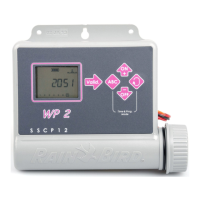
WP-series have a « protected » programming menu to avoid
accidentally modifying the programming schedules. You can access
this menu by :
- Connecting the batteries
- Pressing both keys simultaneously
and .
Note : As soon as you are in the programming menu, " PROG " appears on the screen.
Set clock and day
Note : if those 3 parameters are already set, press the
key to move to next screen.
1.1.1/ Set current time of the day
Use the
and keys to set the hours.
To confirm and move to next step press the
key.
Use the
and keys to set the minutes.
If you want to go directly to the next step and confirm this setting press the
key.



 To Next Page