OPERATING INSTRUCTIONS
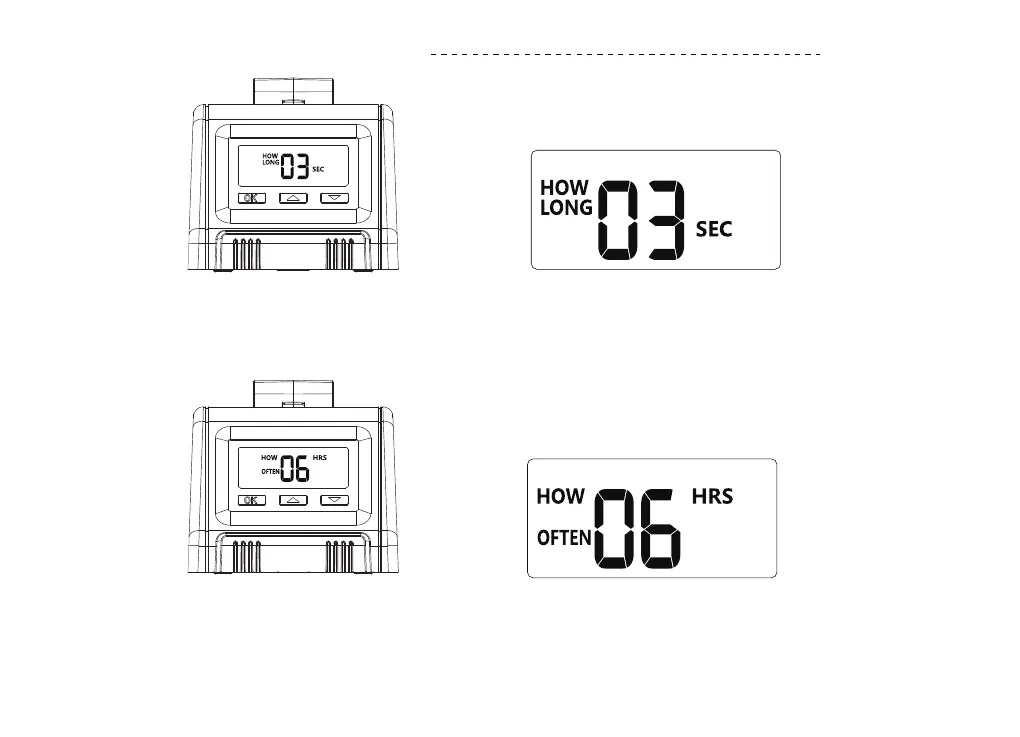
STEP 1:HOW LONG
Press "OK" button,"HOW LONG" will light up,press ▲/▼ to set the watering duration,then press “OK” to
conrm and go on the next step. (Watering duration can be setting from 20s to 30mins)
STEP 2:HOW OFTEN
When entering "HOW OFTEN" setting mode,Eve and How Often on the screen will light up at the same
time. Press ▲/▼ to set the watering frequency from 1 hour to 23 hours or 1 day to 7 days,then press
"OK" button to conrm and go on the next step.
09


 To Next Page