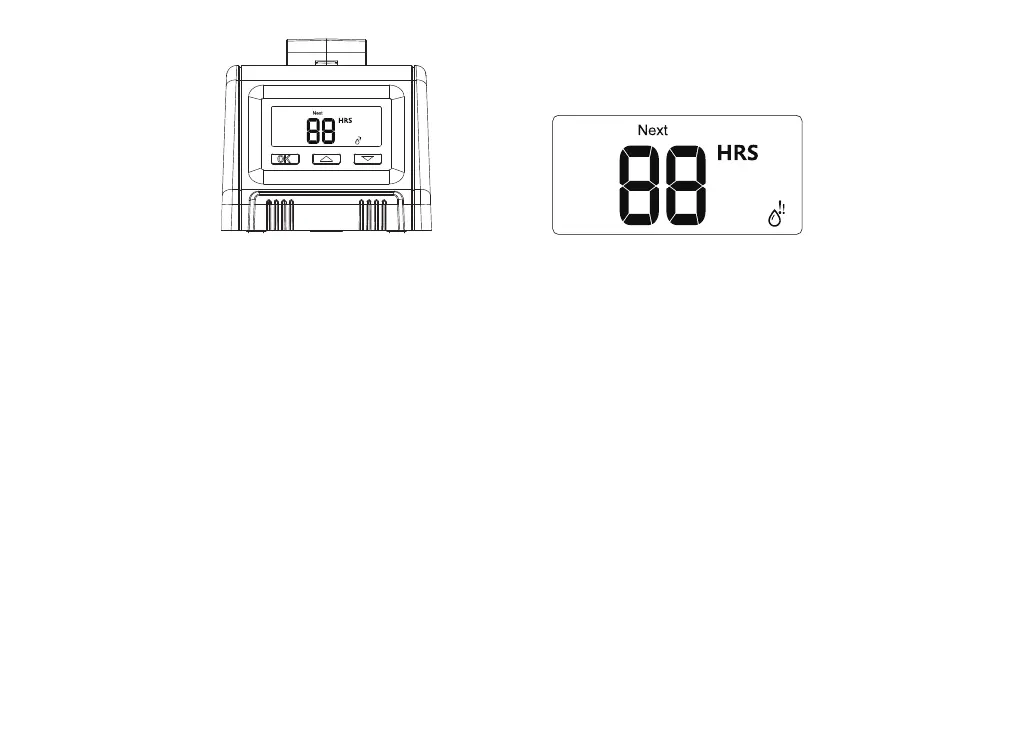
STEP 4: AUTOMATIC WATERING
1. Press "OK" again,Remaining and Watering Icon light up,and it will sta watering schedule
automatically. The countdown of remaining watering time will be showed.
2. When the watering program is nished, the NEXT icon lights up which means the remaining time to the
next watering.
Note:
During setting,if there is no operation within 8 seconds,the pump will automatically quit setting model.
If "How Often" or "How Long" has been changed during setting,it will automatically sta running as you
changed.
Setting Example
* If want to water your plants for 30 seconds at 9:00am of eveday,please set "HOW LONG" by
30s,"HOW OFTEN" by 1day and the "DELAY" by 0,set the device at 9:00am. After setting nished,the
watering pump timer will work automatically eveday at 9:00am to watering for 30 seconds.
* If now it’s 7:00am,and you want to water your plants for 1 minute at 10:00am,please set "HOW LONG"
by 1min,"HOW OFTEN" by 1 day,"Delay" by 3hours. The rst time watering will sta at 10:00am,and
fuher watering will sta at 10:00am with 1 day inteal.
11


 To Next Page