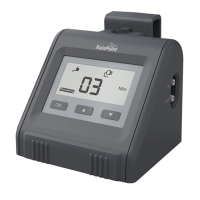
RESET THE DEVICE
2. Leave the device for about 30-60s.
3. Plug in the USB cable, press and hold the WiFi button until the indicator turns to a fast blinking
green light, then open the APP to connect.
TROUBLESHOOTING
Problem Possible Cause Possible Solution
WiFi can’t be
connected
connection
Too far between the pump
and router, causing the
signal unstable
Not in the correct
connecting mode
Reset the router for a 2.4G
channel and reconnect.
Unplug the USB cable and batte rst and wait
10 Sec. Charge the pump with USB cable again,
then hold down WiFi button until the indicator
light ashes rapidly and enter pairing mode.
Move the pump to a closer socket near the router
and reconnect.
- 26 -



 To Next Page