RAINSOFT TC CONDITIONER SERIES OWNER’S MANUAL • 9
SYSTEM START UP
1. Turn on the Water and Check for Leaks
• Close all faucets and turn the water back on at the water meter or pressure tank.
• Check for leaks. If a leak is present, drain the plumbing again before soldering.
2. Flush the Remaining Debris from the System
• Open the cold water faucet on your bathtub.
•
water runs clear.
• Open all remaining faucets and allow the plumbing to release any trapped air in the
system.
• Close all of the faucets.
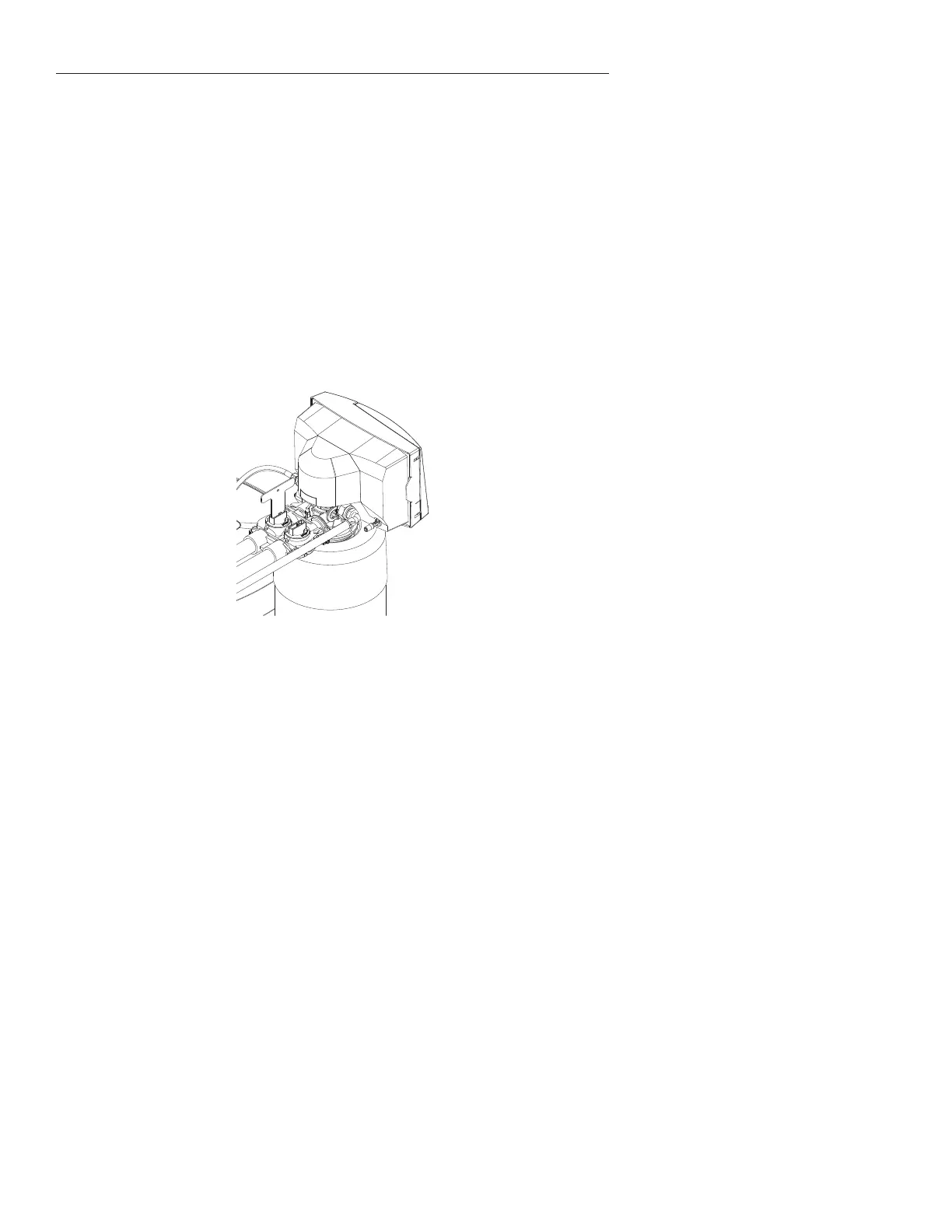
3. Open the Bypass Valve
• Move the bypass valve handles to the service position. The valve handles should be
•
approximately 100 gallons has passed through the appliance.
Figure 9
4. Flush the Hot Water Heater
• Run hot water in the bathtub until the water tests soft.
5. Add Salt to Brine Tank / Control Settings
•
• When using Block Type Salt, please review Stacking Figures on page 10 for correct and
incorrect stacking methods of Salt.
Helpful Tip: All air should be purged from
the bypass valve. To purge any trapped
air from the bypass seal pocket, open and
close the bypass valve two 2-3 times and
allow the water to run from the system.
Helpful Tip: It is common for new systems
to have some color in the water. The color
should disappear after you completely
Helpful Tip: Flushing the system will
prevent dirt and debris from entering
the valve.



 To Next Page