Raise3D E2_Quick Start Guide
www.raise3d.com
- 2
1 -
Maintenance
The printers are pre-leveled at the factory, but
we recommend verifying that the leveling has not
changed during shipping.
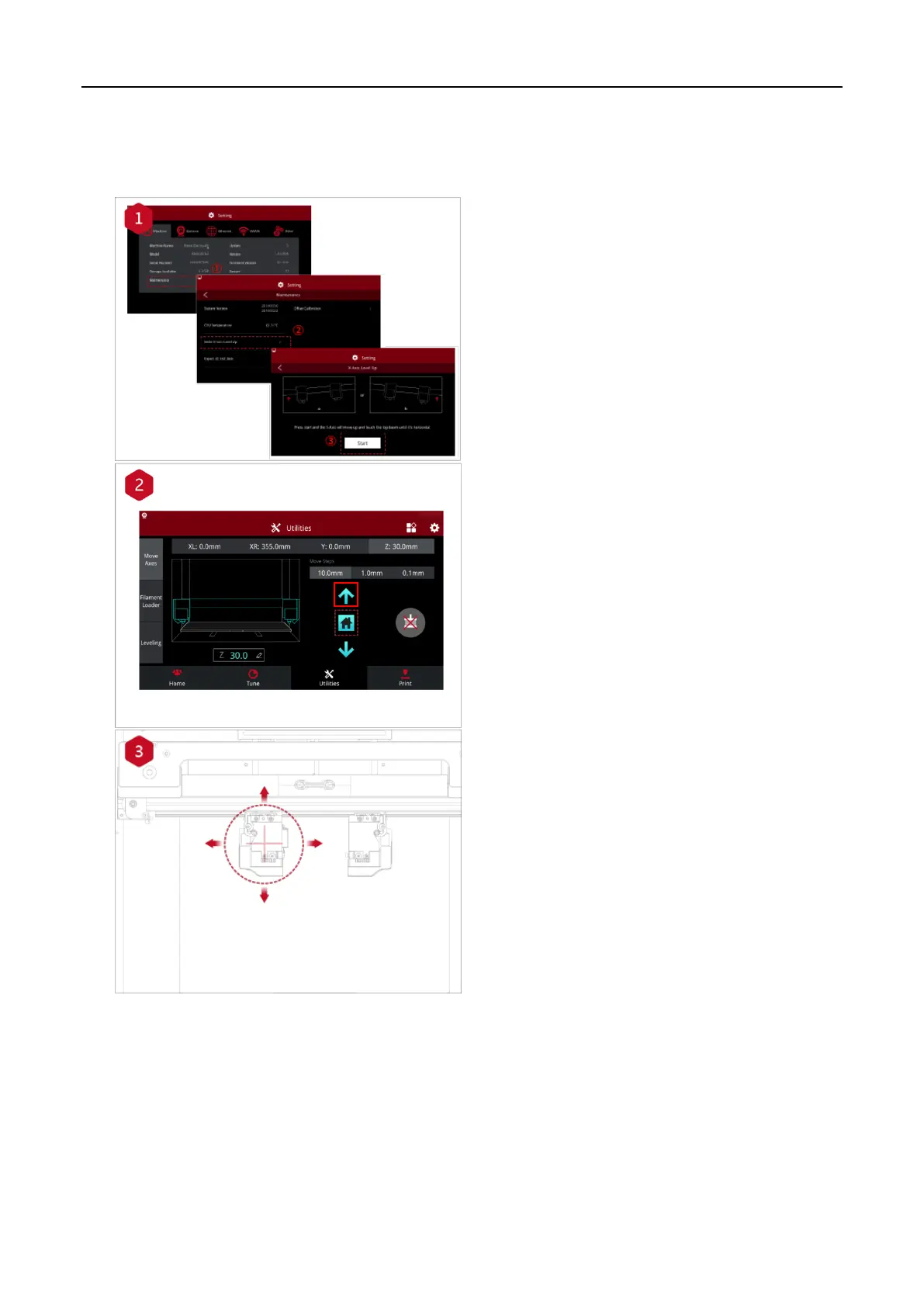
How to level up the X-axis:
As shown in figure 1, click "Maintenance" to level
up the X-axis and it will touch the top beam until
horizontal.
Click the "Utilities" menu and home the Z-axis.
Press the upward arrow to lift the Z-axis about
0.3 mm-0.7 mm.
Check the distance between the nozzle and the
printing platform. After pushing the left extruder
to the center position on the platform, loosen the
nozzle screw.


 To Next Page