10
corresponding indicator until the judgment completes. Please wait for the correct indication with patience.
Ethernet indicator:
Indicator Color Definition
LNK Green Interface connection indicator
On: Network cable has been connected correctly
Off: Network cable has not been connected correctly.
100M Green Interface rate indicator
On: 100Mbps
Off: 10Mbps
FDX Green Interface duplex indicator
On: full-duplex
Off: half-duplex
Flickering: Collision occurs under half-duplex mode
ACT Green Interface operation indicator
Flickering: data transmitting or receiving
Off: no data transmitting or receiving
3.3 Interface instruction
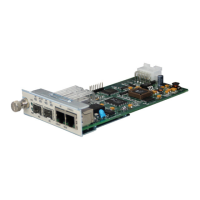
A, B, C, D four E1 balanced interface:
Provide four ways of E1 120Ω balanced signal by combination of two RJ-45 sockets.
E1 A and B use one RJ-45 connector:
E1 A: PIN 1 and 2 Output; PIN 4 and 5 Input
E1 B: PIN 7 and 8 Output; PIN 3 and 6 Input
E1 C and D use one RJ-45 connector:
E1 C: PIN 1 and 2 Output; PIN 4 and 5 Input
E1 D: PIN 7 and 8 Output; PIN 3 and 6 Input
L Note: The pin arrangement of the interface must be correct. Please read the pin arrangement
instruction with caution before making balanced cable.



 To Next Page