Documentation Center
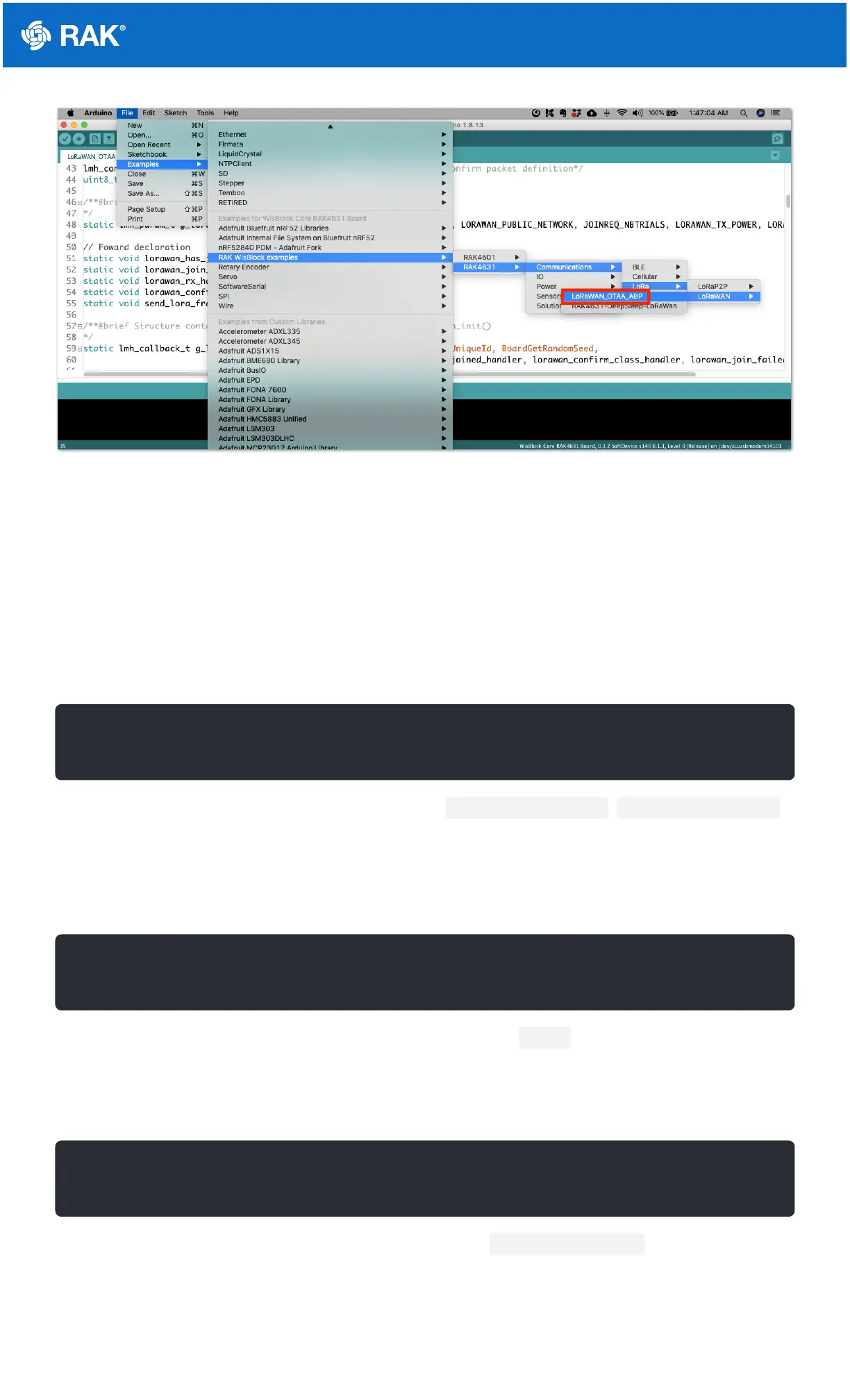
Figure 15: RAK4631 LoRaWAN Example
Configuration of LoRaWAN Example Code
There are configurations that you need to set up to ensure that the device can join a LoRaWAN Network server.
The guide below will explain the default settings and how to configure them.
1. Setup the region.
Default is EU868.
You can change this to a region that is applicable to you like LORAMAC_REGION_US915 , LORAMAC_REGION_AU915 ,
etc.
2. Setup the activation method.
Default is OTAA.
To configure the device to ABP, you need to make this boolean variable false .
3. Setup the message type if confirmed or not.
Default is confirmed message.
You can change to unconfirmed message by changing the value to LMH_UNCONFIRMED_MSG .
4. Setup device class.
Default is Class A.


 To Next Page