Incoming Text Messages
After pairing your Uconnect system with a Bluetooth enabled mobile device with the
Message Access Profile (MAP), the Uconnect system can announce a new incoming
text message and read it to you over the vehicle’s audio system.
NOTE:
Only incoming text messages received during the current ignition cycle can be
viewed/read.
To enable incoming text messaging:
iPhone
1. Press the settings button on the mobile phone.
2. Select Bluetooth.
• Ensure Bluetooth is enabled, and the mobile phone is paired to the Uconnect
system.
3. Select
located under DEVICES next to Uconnect.
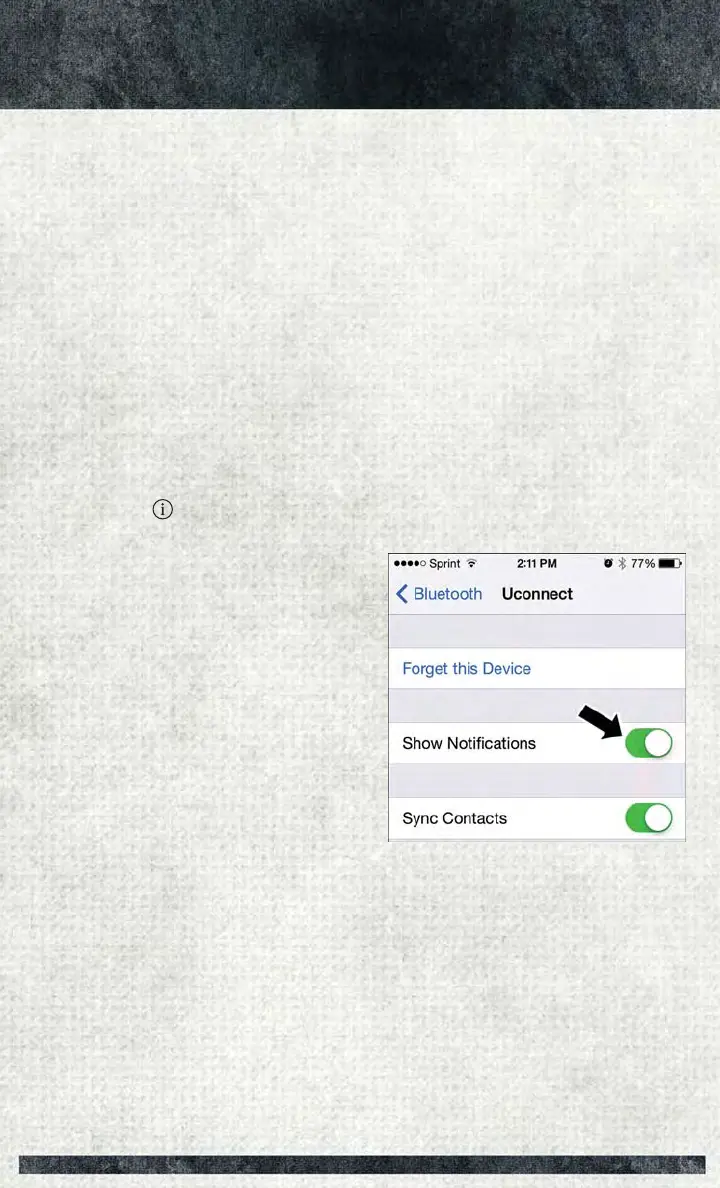
4. Turn “Show Notifications” to on.
Enable iPhone Incoming Text Messages
ELECTRONICS
189



 To Next Page