Using The Touchscreen Radio Controls
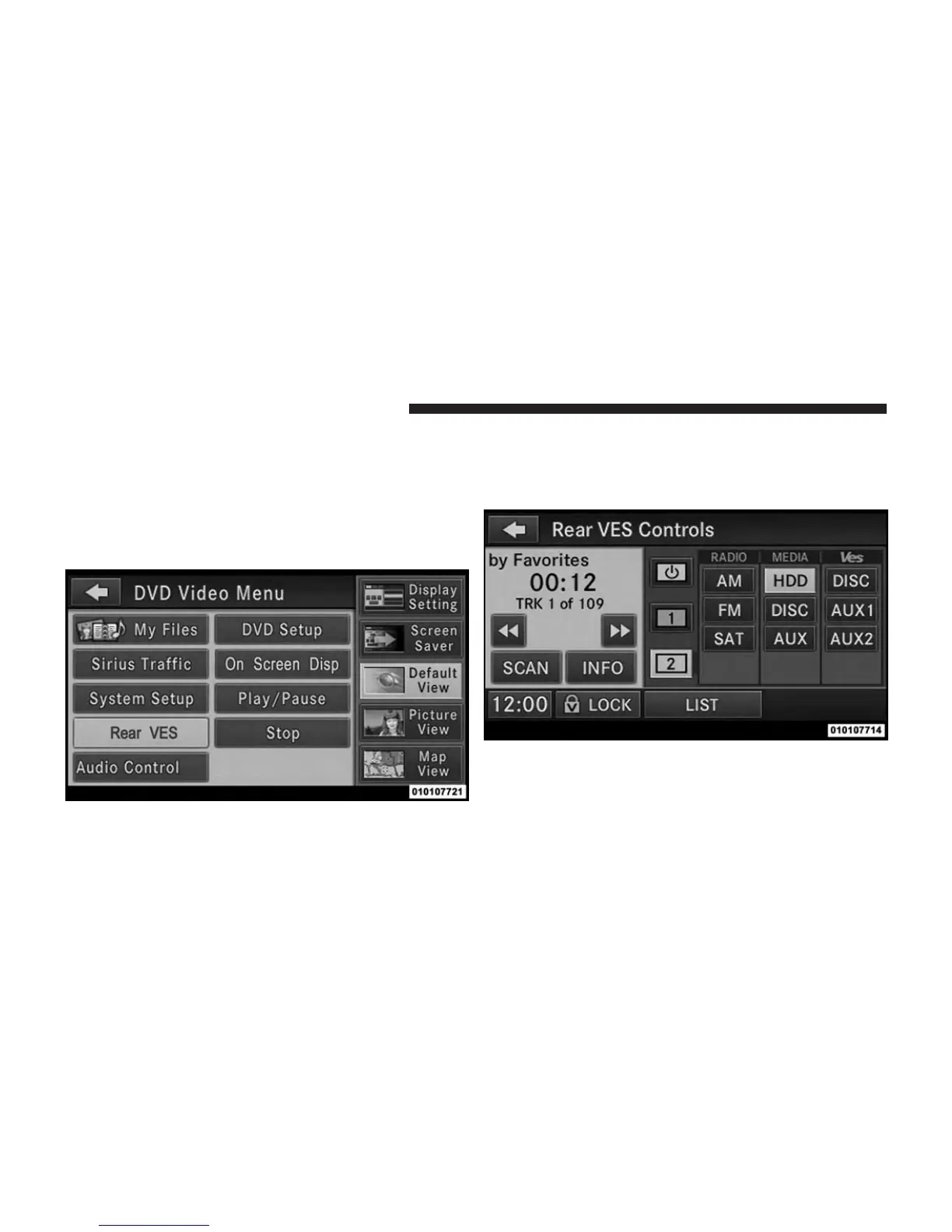
1. Press the MENU hard-key on the radio faceplate.
2. Touch the Rear VES™ soft-key to display the Rear
VES™ Controls. If a channel list is displayed, press the
HIDE LIST soft-key to display the Rear VES™ Con-
trols screen.
3. To listen to an audio source on Channel 2 while a
video is playing on Channel 1, touch the 2 soft-key and
choose an audio source. To exit touch the back arrow
soft-key at the top left of the left screen.
Rear VES™ Soft-Key
Select Channel/Screen 2 And HDD In The Media
Column
372 UNDERSTANDING YOUR INSTRUMENT PANEL












 To Next Page