– 16 –
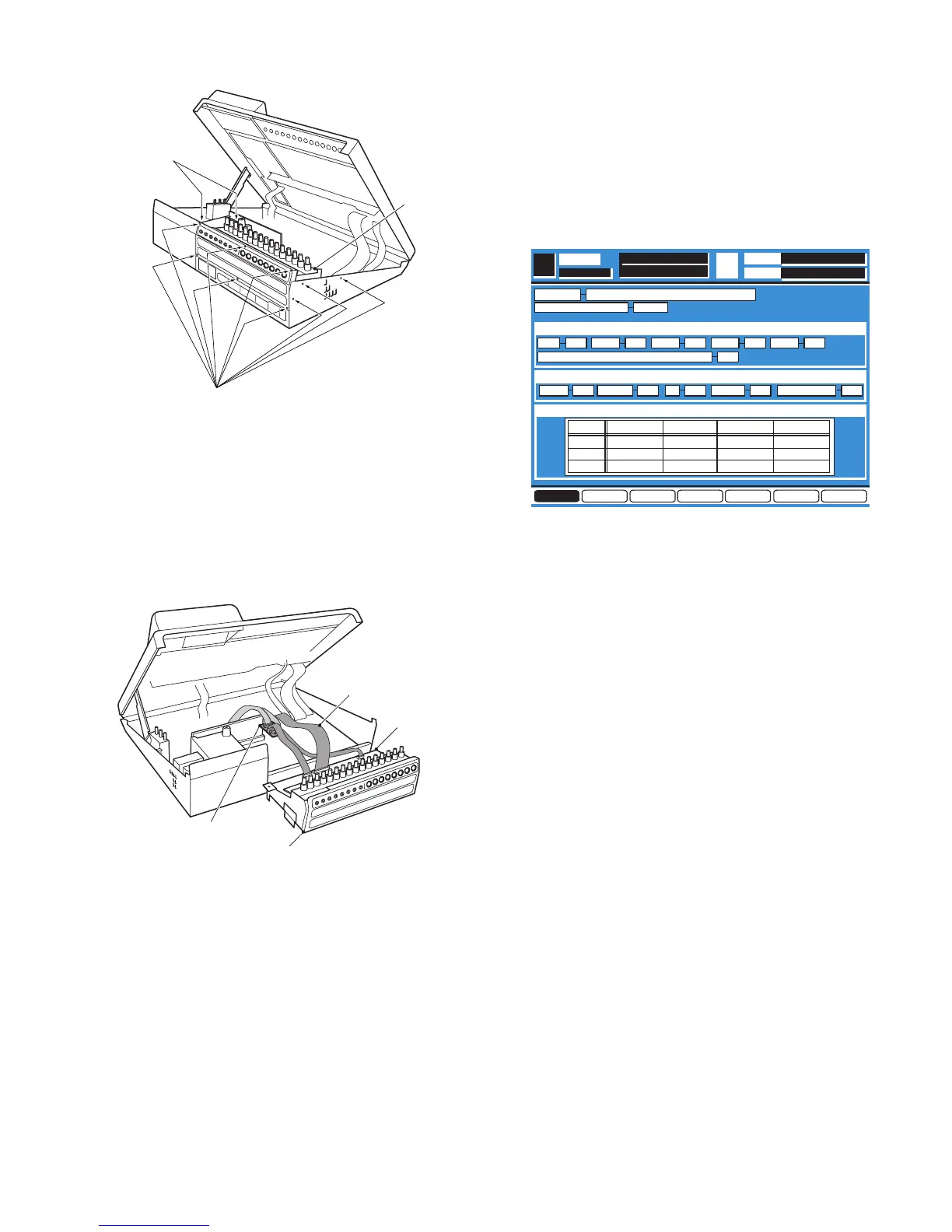
Fig. 2-3
8
Referring to Fig. 2-4, disconnect three Cables from the
Connectors CN33, CN52 and CN 53 of the AD/DA Board.
8
Insert two Cables from the Power-2 Board to the AD
EXTD-1.
8
Insert two Cables of the AD EXTD to two Connectors
CN52 and CN53 of the AD/DA Board.
8
Insert the AD EXTD-2 between CN33 of the Main Board
and CN33 on the AD/DA Board.
Fig. 2-4
3. Execution of the Self Check
Function
8
Turn the Power On while pressing the [SELECT] Key,
[ON] Key of the MASTER LR and [3] Key of the TEN KEY
simultaneously, the Self Check Function has been
executed and the Diagnostic Menu 1 as shown in Fig. 3-1
is displayed on the LCD Display of the WR-DA7.
Fig. 3-1
4. Fundamental Operation
4.1. Selection and Execution of the Check
Item
8
Select the Check Item by either UP or DOWN Cursor Key
on the Upper Cover Ass'y.
8
Execute the Check Item by pressing the Enter Key on the
Upper Cover Ass'y.
4.2. Switching of the Diagnostic Menu
8
Move the Cursor to most bottom position by either UP or
DOWN Cursor Key.
8
Select the Diagnostic Item by either LEFT or RIGHT
Cursor Key on the Upper Cover Ass'y.
8
Execute the Diagnostic Item by pressing the Enter Key.
5. Check Each Item
5.1. Version Indication (VERSION)
8
Referring to Fig. 5-1, the Product Description and the
Version of the Control Program will be displayed.
8
Displayed always without any Item Selection and
Execution.
DIAG4 DIAG5 DIAG6 EXITDIAG2 DIAG3DIAG1
DIAG1
DIAGNOSTICS
CPU TEST
T.C.
SCENE
SERIAL I/F TEST
VERSION
BATTERY BACKUP 3.0V
RAMSA WR-DA7 Ver.1.00 r01
SEL CH
ROM OK OK OK
OK
OK OKRAM1 RAM2 RAM3 RAM4
SLOT1
SLOT2
SLOT3
OK
OK
OK
PORT R/W CLOCK SIGNAL
OK
OK
OK
OK
OK
OK
MUTE
OK
OK
OK
SLOT I/F TEST
OK OKRS485 SMPTEOK OK OKMIDI PC MTR BRIGE
OPERATION CPU COMMUNICATION


 To Next Page